


Welcome to our beginner’s guide to work instructions! If you’ve ever worked in a field that requires precision and accuracy, you’ve probably seen work instructions at some point.
Work instructions are an important part of any workflow because they give employees the directions they need to do their jobs correctly and quickly.
In this article, we’ll discuss the purpose of work instructions, the different types, and how to create effective ones.
We’ll also touch on the benefits of using a workflow automation app to manage work instructions and provide some best practices for using them effectively.
By the end of this guide, you’ll know everything you need to know about work instructions, including what they are, why they’re important, and how to use them in your workflow. So, let’s dive in!
Article Outline
Work Instructions: What Are They and Why Do You Need Them?
Work instructions are meant to show employees the detailed steps they need to take to do a job correctly and quickly. They help to eliminate guesswork and ensure that everyone is following the same process, which is especially important in industries where precision is crucial.
Work instructions are also helpful for new employees who are still learning the ropes and might not know how things work.
Using work instructions can also help to improve productivity and quality in the workplace. By giving employees instructions that are clear and to the point, they can do their jobs faster and with fewer mistakes.
This, in turn, can lead to increased efficiency, reduced waste, and improved quality control. Also, detailed work instructions can help figure out where the workflow might get stuck or where it could be improved.
Work instructions are an important part of any workflow because they tell workers how to do their jobs correctly and quickly. By using work instructions, you can improve the quality and productivity of your workplace, which will make it run more smoothly and produce more.
Types of Work Instructions
There are several types of work instructions that can be used in a workflow, each designed to provide guidance in different ways. By understanding the different types of work instructions, you can choose the best one for your particular situation.
Written Work Instructions
Written work instructions are the most common type. They show step-by-step how to do a job. They can be in the form of a manual, a job aid, or a checklist.
Written work instructions are especially helpful for jobs that require a lot of accuracies, where even small mistakes can have big effects.
One example of a written work instruction is our “Executive Assistance Inbox and Calendar Management Template.” With this free template, you can add clear instructions for how to manage your inbox and schedule, which will help you stay organized.
To edit and customize the template, simply click anywhere on it.
Pictorial Work Instructions
Pictures, photos, or diagrams are used to show how to do a task in pictorial work instructions.
They are especially useful for tasks supporting processes that are difficult to describe in words or for employees who may not speak the language in which the work instructions are written.
For example, a pictorial work instruction for setting up a network printer could include a logical sequence with labeled pictures of the different parts and step-by-step instructions for how to connect them.
Video Work Instructions
Video work instructions show you how to do a job correctly by showing you a good example of how to do it on video. They can be especially helpful for complicated tasks that need to be shown or explained a lot.
Example: A video work instruction for operating heavy machinery could include footage of the machinery in action and a voice-over that provides step-by-step instructions on how to use it safely.
Interactive Work Instructions
Interactive work instructions let employees interact with the instructions in real-time, either through simulations or interactive software. They can be particularly useful for training employees on new business processes or software.
A new software program’s interactive work instructions could include a simulated interface that lets employees practice using the software before they use it in the real world.
There are several types of work instructions that can be used in a workflow, each designed to provide guidance in different ways.
By choosing the right instruction and type of basic work instruction format for a certain task, you can make sure that employees have all the information they need to do their jobs correctly and quickly.
How to Write Effective Work Instructions
Creating effective work instructions is an important aspect of any workflow. It helps employees perform tasks accurately and efficiently and ensures consistency throughout the process.
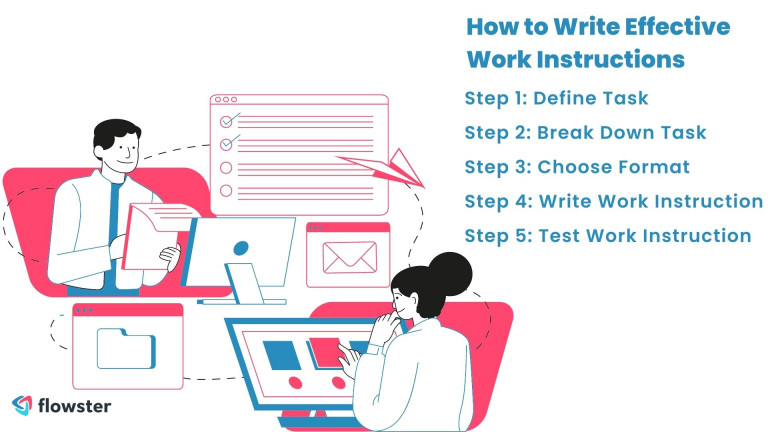
Here’s a simple step-by-step guide to help you create effective work instructions:
Step-by-Step Guide to Creating Work Instructions
Step 1: Define the Task
Start by defining the task that you want to create the work instructions for. This will help you figure out what the task is for if there are any requirements, and what the goal is.
Step 2: Break Down Task
Once you have defined the task, break it down into smaller, manageable steps. This will make it easier for employees to follow the work instructions and complete the process steps of the task correctly.
Step 3: Choose the Appropriate Format
You’ll need to choose the right format for the work instructions based on the task and the people who will be reading them. For example, a pictorial or video work instruction might be more effective for tasks that are difficult to describe in words.
Step 4: Write the Work Instruction
Write the work instructions, keeping in mind the importance of clarity, simplicity, and accuracy. Use clear, direct language, write a clear title, and avoid jargon or technical terms that your audience might not understand.
Step 5: Test the Work Instruction
Before putting the work instruction into place, it’s important to make sure it works. Ask someone who doesn’t know how to do the task to do it and give you feedback.
Tips to Help You Create Effective Work Instructions
In addition to these steps, here are some tips to help you create effective work instructions:
- Use visuals or diagrams: Visuals or diagrams can help employees understand the task better and follow the work instructions more easily.
- Include safety warnings: If the task involves safety risks, make sure to include safety warnings in the work instructions.
- Use a consistent format: Using a consistent format throughout the work instructions will make it easier for employees to follow the instructions.
- Keep it simple: Avoid making the work instructions too complex, as this can lead to confusion and mistakes.
Making good work instructions is important to make sure that tasks are done correctly and quickly. It requires careful planning, attention to detail, and a clear understanding of the specific task at hand.
Make sure your work instructions are clear, short, and correct, and use the right format for your audience. By doing so, you can improve the efficiency and quality of your workflow.
Interested in improving your business processes?
The Benefits of Using a Workflow Automation App for Work Instructions
Using a workflow automation app to keep track of work instructions can help you organize your work and get more done. These apps can make it easier to make, send out, and manage work instructions, which can lead to more efficiency and consistency.
Here are some of the benefits of using a workflow automation app for creating work instructions:
Simplified Creation
Workflow automation apps can make it easier to make work instructions by giving you templates and tools that help you make digital work instructions that are clear and easy to follow. You can easily add visuals, videos, and interactive elements to make the work instructions more engaging.
Easy Deployment
Deploying work instructions with a workflow automation app is a breeze. You can push the work instructions detail to all relevant employees with just a few clicks, ensuring that everyone has access to the latest instructions.
Improved Consistency
By using a workflow automation app, you can make sure that all of your employees follow the same process. This will make your workflow more consistent. This can help eliminate human errors, improve the quality of your output, and improve business processes.
Increased Efficiency
Workflow automation apps can help you automate repetitive tasks, freeing up time for more complex work. This can lead to increased efficiency and productivity.
Real-time Tracking
Workflow automation apps allow you to track the progress of tasks in real-time, giving you visibility into how well your workflow is functioning. This can help you identify bottlenecks or areas for improvement.
Using a workflow automation app to manage and write work instructions, can make your work easier and help you get more done. By making it easier to make, send out, and manage work instructions, you can improve efficiency and consistency, get rid of mistakes, and make your work better.
Best Practices for Using Work Instructions
Using work instructions correctly is the best way to make sure that tasks are done correctly and quickly. Here are some best practices to help you get the most out of your work instructions:

Keep Work Instructions Up-to-Date
As your workflow evolves, it’s important to keep your procedures and work instructions up-to-date. This makes sure that workers are using the most up-to-date methods and that the whole process procedure and work instructions are correct for the job at hand.
Use Visuals and Diagrams
Visuals and diagrams can help employees understand the task better and follow the work instructions more easily. They can also help eliminate language barriers.
Train Employees on Work Instructions
By giving employees training on work instructions, you can help them understand what the task is for and how to do it. This can lead to improved consistency and quality in your workflow, supporting your work processes further.
Encourage Feedback
Encouraging feedback from employees can help you improve your work instructions over time. Employees may have suggestions on how to make the work instructions clearer or more effective.
Follow Work Instructions Consistently
You can use things like quality management systems, control checks, employee feedback, and rewards for following instructions to make sure employees do their jobs the same way every time.
How to Get Employees to Follow Work Instructions
Here are some suggestions on how to ensure that employees follow work instructions consistently:

Provide Incentives
Employees can be encouraged to do their jobs right by giving them bonuses or praise when they do so.
Implement Checks
Regular quality management systems and control checks can help identify when employees are not following work instructions correctly. This gives the quality management system a chance to fix the problem and make sure that employees understand what needs to be done.
Encourage Open Communication
Encouraging open communication between employees and management can help identify issues with processes, procedures, and work instructions and provide team leaders with an opportunity to address them.
Provide Ongoing Training
Ongoing training can help remind employees how important work instructions are and make sure they always follow them.
By following these best practices and putting in place processes to make sure everything is the same, you can improve the quality of your work and make your workflow more efficient.
So, make sure to keep your work instructions up-to-date, provide training and incentives, and encourage open communication to get the most out of your company’s work instructions.
Conclusion
In this beginner’s guide to work instructions, we’ve covered the purpose of writing work instructions, the different types, and how to create effective ones.
We’ve also talked about the benefits of using a workflow automation app to keep track of work instructions and given some tips on how to use them well.
Remember that work instructions are an important part of any workflow because they tell employees how to do their jobs correctly and quickly.
By using work instructions, you can improve the quality and productivity of your workplace, which will make it run more smoothly and produce more.
Managing work instructions with a workflow automation app can also speed up your work and make it more efficient. These apps can make it easier to make, send out, and manage work instructions, which can lead to more efficiency and consistency.
By following the best practices outlined in this guide, you can get the most out of your work instructions and workflow automation app.
Keep your work instructions up-to-date, offer training and rewards, and promote open communication to make sure everyone is doing the same thing and to improve the quality of your work.
We hope that this guide has helped you understand how important work instructions are and how to put them into practice well. Have you had experience using work instructions or a workflow automation app? We’d love to hear from you in the comments below!
Ready to Create Your First Work Instruction Template?
Start from scratch to make a work instruction template, or look through our templates in Flowster’s Marketplace.
Want help? Use our “Done for You” service to let our experts build custom workflows for you.
Related Articles
Would you like to learn more? See our other informative articles.
Ultimate Guide to Creating Effective Standard Operating Procedures (SOPs) – with Free Templates
How Business Process Mapping Helps You Manage and Scale Your Business
How to Improve Your Business Processes for Better Efficiency and Productivity

