


In today’s fast-paced business environment, small to medium enterprises face a unique set of challenges as they strive to scale and grow. One of the most significant hurdles they encounter is the presence of inefficient processes that can stifle productivity and hinder overall success. Inefficient processes not only waste valuable time and resources but can also lead to employee frustration and decreased morale.
Recognizing these inefficiencies is crucial for businesses aiming to enhance their operations and achieve sustainable growth. In this blog post, we will explore common symptoms of inefficient processes, providing you with practical examples and actionable tips to address them effectively. By understanding how to identify and rectify these inefficiencies, you can foster a more productive workplace that empowers your team and drives your business forward. Let’s dive into the world of inefficient processes and discover how you can transform your operations for the better!
Article Outline
Understanding Inefficient Processes: A Key to Business Success
To effectively tackle inefficient processes, it’s essential first to understand what they are and how they manifest within your organization. Inefficient processes refer to workflows that are not optimized, resulting in wasted time, resources, and effort. These inefficiencies can arise from various factors, including outdated technology, poor communication, or a lack of clear procedures. By gaining a deeper understanding of inefficient processes, you can better identify areas for improvement and set the stage for a more streamlined operation.
What Are Inefficient Processes?
Inefficient processes can be defined as any workflow that fails to maximize productivity or effectiveness. They often involve unnecessary steps, redundant tasks, or outdated methods that slow down progress. For example, if a team relies on manual data entry instead of utilizing automated systems, they may experience delays and increased error rates. Recognizing these inefficiencies is the first step toward creating a more efficient workplace.
Common Symptoms of Inefficient Processes
Identifying inefficient processes is crucial for any business looking to improve its operations. However, recognizing the symptoms can sometimes be challenging. Here are some common indicators that your organization may be grappling with inefficient processes:
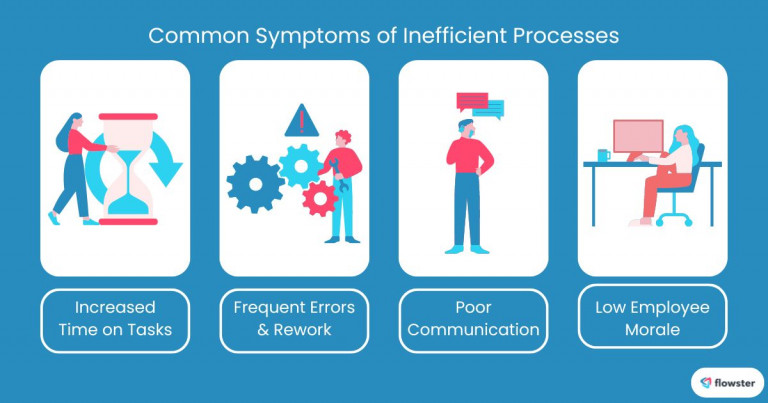
- Increased Time on Tasks: When employees find themselves spending excessive amounts of time on repetitive or low-value tasks, it’s a clear sign that processes need reevaluation. For instance, if team members are manually compiling reports instead of using automated tools, their productivity can significantly decline.
- Frequent Errors and Rework: High rates of mistakes often lead to rework, which not only consumes additional time but also drains resources. If your team frequently encounters errors in their work—such as incorrect data entries or miscommunications—it may indicate underlying inefficiencies that require immediate attention.
- Poor Communication: Inefficient processes can lead to breakdowns in communication between departments or team members. If your organization struggles with miscommunication or unclear directives, it can cause delays and confusion that hinder project progress.
- Low Employee Morale: Employees who frequently deal with cumbersome processes may feel frustrated and disengaged. If staff members express dissatisfaction with their workflows or experience burnout due to inefficiencies, addressing these issues should be a priority for management.
Understanding these aspects of inefficient processes lays the groundwork for identifying specific areas in your organization that require improvement. With this knowledge in hand, you can move forward to explore the common symptoms of inefficient processes in greater detail, equipping yourself with the insights needed to foster a more productive workplace.
Identifying Inefficient Processes in Your Business: A Step Toward Improvement
Identifying inefficient processes is a critical step for any business looking to enhance productivity and streamline operations. By pinpointing the specific workflows that are causing delays or frustration, you can take targeted actions to improve efficiency. In this section, we will explore effective methods for conducting a process audit and key areas to examine in order to uncover inefficient processes within your organization.
Conducting a Process Audit
A process audit involves systematically reviewing your current workflows to identify inefficiencies. This comprehensive evaluation allows you to gather insights into how tasks are performed and where bottlenecks may occur. Here are some steps to effectively conduct a process audit:
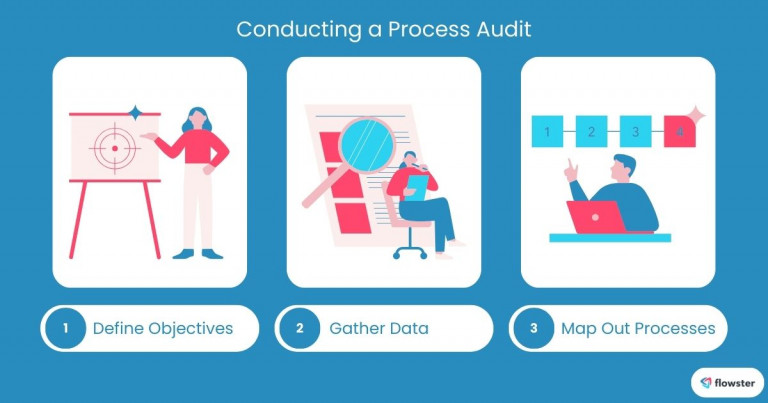
- Define Objectives: Start by establishing clear objectives for your audit. Determine what you want to achieve, such as reducing turnaround times or minimizing errors. Having specific goals will guide your analysis and help you measure success.
- Gather Data: Collect quantitative and qualitative data on your processes. This can include time tracking, error rates, employee feedback, and customer satisfaction scores. Tools like surveys and interviews can provide valuable insights into how employees perceive their workflows.
- Map Out Processes: Create visual representations of your workflows using flowcharts or diagrams. This will help you visualize the steps involved in each process and identify areas where inefficiencies may exist.
Key Areas to Examine
Once you have conducted a process audit, it’s essential to focus on key areas that often harbor inefficient processes. Here are some critical aspects to consider:
- Workflow Bottlenecks: Look for points in your processes where work tends to pile up or slow down. For example, if approvals are consistently delayed due to a lack of clarity in the approval chain, this could be a significant bottleneck that needs addressing.
- Redundant Tasks: Identify any tasks that are duplicated across different teams or departments. For instance, if multiple teams are collecting the same data independently, it may be time to consolidate efforts and streamline the data collection process.
- Technology Gaps: Assess whether your current technology is supporting or hindering your processes. Outdated software or a lack of integration between systems can lead to inefficiencies. If employees are spending too much time navigating between different platforms, it may be worth investing in more cohesive solutions.
By conducting a thorough process audit and examining key areas such as workflow bottlenecks, redundant tasks, and technology gaps, you can effectively identify inefficient processes within your business. This understanding is crucial for implementing meaningful changes that enhance productivity and support growth. With these insights in hand, you’re now ready to explore actionable strategies to address inefficient processes and create a more streamlined operation in the next section!
Strategies to Address Inefficient Processes: Enhancing Productivity and Efficiency
Addressing inefficient processes is vital for small to medium businesses looking to improve productivity and streamline operations. By implementing targeted strategies, you can eliminate redundancies, enhance communication, and foster a culture of continuous improvement. In this section, we will explore several effective strategies to tackle inefficient processes, ensuring your organization operates at its full potential.
Streamlining Workflows
One of the most effective ways to combat inefficient processes is by streamlining workflows. Simplifying how tasks are completed can significantly enhance productivity and reduce frustration among employees. Here are some key approaches:
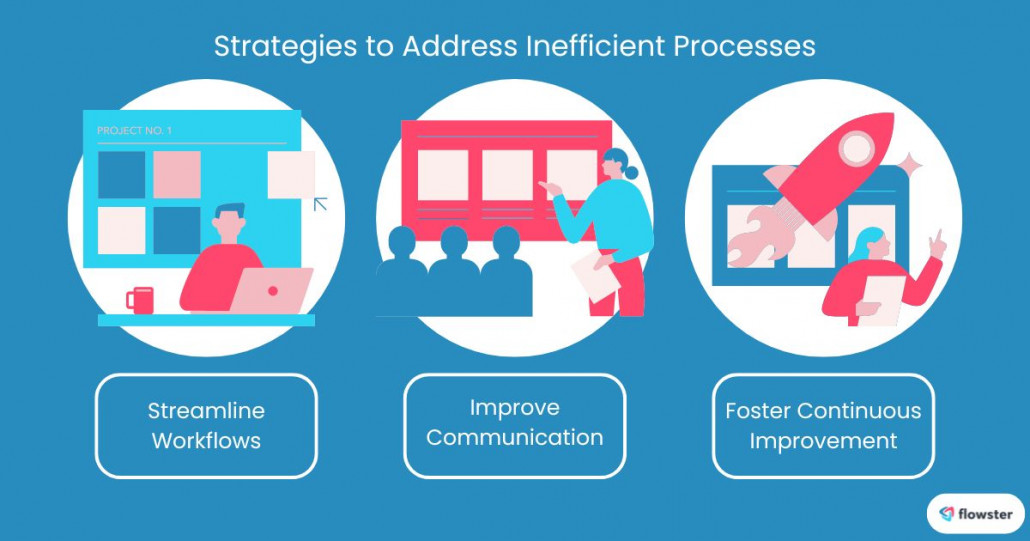
- Automation Tools: Leveraging automation tools can help eliminate repetitive tasks that consume valuable time. For instance, software like Flowster allows teams to automate workflows, manage tasks efficiently, and ensure consistency in processes. By automating routine activities, employees can focus on higher-value work that drives business growth.
- Standard Operating Procedures (SOPs): Documenting processes through clear SOPs ensures that everyone understands their roles and responsibilities. This not only promotes consistency but also reduces the likelihood of errors. By creating a centralized repository for SOPs, you make it easier for employees to access the information they need to perform their tasks effectively.
Flowster's AI-Driven Automation
Improving Communication
Effective communication is essential for minimizing inefficiencies in any organization. When teams communicate clearly and consistently, it fosters collaboration and reduces misunderstandings. Here are some strategies to enhance communication:
- Collaborative Tools: Implementing collaborative tools such as project management software can streamline communication among team members. These platforms allow for real-time updates, file sharing, and task assignments, ensuring everyone is on the same page. Tools like Slack or Asana can facilitate better communication and project tracking.
- Regular Check-ins: Establishing regular check-ins or team meetings helps keep everyone aligned on project goals and timelines. This practice encourages open dialogue about challenges and successes, allowing for timely adjustments to workflows as needed.
Fostering a Culture of Continuous Improvement
Creating an environment that encourages continuous improvement is crucial for addressing inefficient processes over the long term. Engaging employees in this process can lead to innovative solutions and increased buy-in for changes made within the organization.
- Encourage Employee Feedback: Actively seeking feedback from employees about their experiences with current processes can uncover valuable insights. Consider implementing suggestion boxes or regular feedback sessions where team members can share their thoughts on inefficiencies they encounter.
- Set Up a Review System: Establish a system for regularly reviewing and refining processes. This could involve quarterly assessments of workflows to identify areas for improvement or celebrating successes when efficiencies are achieved. By continuously evaluating processes, you create a culture that values innovation and adaptability.
By implementing these strategies—streamlining workflows through automation tools like Flowster, improving communication with collaborative platforms, and fostering a culture of continuous improvement—you can effectively address inefficient processes within your organization. These steps will not only enhance productivity but also create a more engaged workforce ready to contribute to your business’s success. With these strategies in place, let’s explore real-world examples of small to medium businesses that have successfully tackled inefficient processes in the next section!
Case Studies: Success Stories from Small to Medium Businesses Overcoming Inefficient Processes
Understanding how other businesses have successfully addressed inefficient processes can provide valuable insights and inspiration for your organization. In this section, we will explore two case studies of small to medium businesses that identified and tackled their inefficiencies head-on, leading to significant improvements in productivity and overall performance.
Example 1: A Retail Business Overhauling Inventory Management
A small retail business faced significant challenges with its inventory management system, which was riddled with inefficient processes. Employees spent countless hours manually tracking stock levels, leading to frequent errors and miscommunication between departments.
- Identifying the Problem: The management team conducted a thorough process audit and discovered that outdated software and manual entry were the primary culprits behind their inefficiencies. This resulted in overstocking certain items while running out of others, ultimately affecting sales and customer satisfaction.
- Implementing Solutions: To address these issues, the business invested in an integrated inventory management system that automated stock tracking and provided real-time data updates. For example, using a grocery POS solution further streamlined workflows, connecting sales directly to inventory and reducing manual entry. By integrating these tools, they significantly reduced errors and improved accuracy.
- Results Achieved: Within months of implementing the new system, the retail business saw a 30% reduction in stock discrepancies and a 20% increase in sales due to improved inventory availability. Employees were also able to redirect their focus toward customer service rather than tedious administrative tasks.
Example 2: A Service-Based Company Enhancing Client Communication
A mid-sized service-based company struggled with poor communication between its project management team and clients, resulting in missed deadlines and frustrated customers. The inefficient processes in place were hindering the company’s ability to deliver quality service.
- Identifying the Problem: After receiving feedback from clients about delays and unclear communication, the management team conducted a review of their project workflows. They found that important updates were often lost in email threads, leading to confusion about project status.
- Implementing Solutions: To enhance communication, the company adopted a project management tool that centralized all client interactions and project updates. This platform allowed for real-time collaboration between teams and clients, ensuring everyone was informed about progress and changes.
- Results Achieved: As a result of these changes, client satisfaction scores improved by 40%, and project completion times decreased by 25%. The service-based company not only retained existing clients but also attracted new ones due to their enhanced reputation for reliability and transparency.
These case studies illustrate how small to medium businesses can effectively overcome inefficient processes by identifying problems, implementing targeted solutions, and achieving remarkable results. By learning from these success stories, you can gain valuable insights into how to tackle inefficiencies within your own organization. Now that we’ve explored these inspiring examples, let’s summarize the key takeaways from this blog post on addressing inefficient processes in the workplace.
Capture Your Processes in Minutes!
Conclusion: Transforming Inefficient Processes into Opportunities for Growth
In today’s competitive landscape, addressing inefficient processes is essential for small to medium businesses looking to scale and thrive. By recognizing the symptoms of inefficiencies, conducting thorough audits, and implementing targeted strategies, organizations can create a more streamlined and productive work environment. The success stories highlighted in this blog post demonstrate that with the right approach, businesses can overcome challenges related to inefficient processes and achieve significant improvements in productivity and employee satisfaction.
As you embark on your journey to identify and rectify inefficiencies within your organization, remember that you are not alone. Many resources are available to assist you in this process. For instance, Flowster Marketplace offers free Standard Operating Procedures (SOPs) templates and other workflow templates designed to help you get started on streamlining your operations. These templates provide a solid foundation for documenting your processes, ensuring consistency and clarity across your team.
Additionally, Flowster provides “Done-for-You” services that can further simplify the implementation of efficient workflows tailored to your business needs. By leveraging these resources, you can take meaningful steps toward transforming inefficient processes into opportunities for growth.
In conclusion, by prioritizing the identification and improvement of inefficient processes, you position your business for long-term success and sustainability. Start today, and watch as your organization flourishes!



