


In the modern era of digital connectivity, virtual teams have emerged as a powerful means for organizations to leverage talent across geographical boundaries. However, leading virtual teams presents its own set of challenges that require careful consideration and effective strategies.
Building trust and enhancing performance are two critical aspects that contribute to the success of virtual teams. This article aims to provide valuable insights and practical approaches to help leaders navigate these challenges and create a cohesive and high-performing virtual team.
Virtual teams or remote teams, comprising members who work remotely and collaborate through digital platforms, offer unique advantages such as diverse skill sets, global perspectives, and increased flexibility.
However, the lack of face to face interaction and physical proximity can hinder team cohesion and trust-building. Therefore, it becomes imperative for virtual team leaders to employ specific techniques and foster an environment that promotes trust, effective communication, and mutual respect among remote team members.
Article Outline
Creating a Foundation of Trust
Establishing trust is crucial for the success of virtual teams. When you ensure team members trust one another and their team leader, they feel secure, valued, and motivated to perform at their best. Here are key strategies for creating a foundation of trust within high performing virtual teams:
Establishing Clear Expectations
To foster trust, leaders must establish clear expectations from the outset. Clearly communicate project goals, individual roles, and performance expectations. This clarity eliminates ambiguity and ensures that team members have a shared understanding of what needs to be accomplished. When everyone is on the same page, trust can flourish as team members have a clear direction and know what is expected of them.
Encouraging Open and Transparent Communication
Open and transparent communication is vital for building trust within virtual teams. Leaders should create an environment where team members feel comfortable expressing their thoughts, ideas, and concerns openly.
Encourage active participation and provide opportunities for team members to share their perspectives. When individuals feel heard and respected, trust grows, and collaboration becomes more effective.
Establishing Psychological Safety
Psychological safety is the belief that team members can take risks, speak up, and make mistakes without fear of judgment or negative consequences. It is essential for trust to thrive within virtual teams.
Leaders should create a safe and supportive environment where individuals feel comfortable sharing their opinions, asking questions, and challenging ideas. When team members know they won’t be penalized for taking initiative or making honest mistakes, they are more likely to trust their colleagues and collaborate openly.
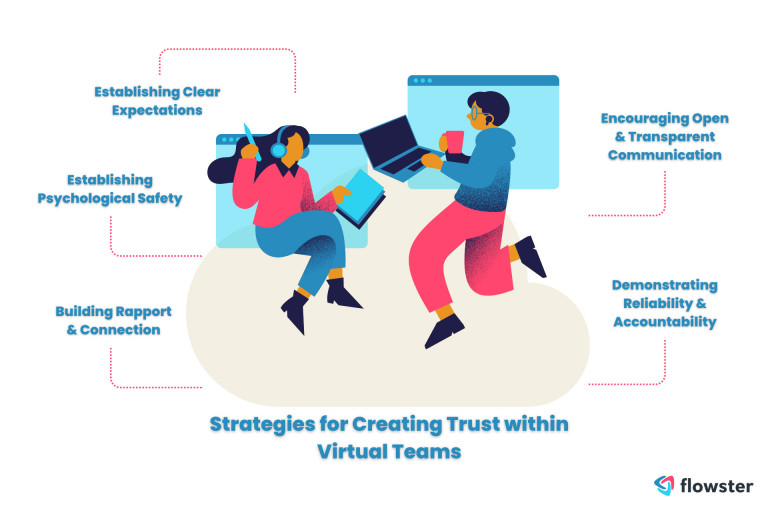
Building Rapport and Connection
In virtual teams, building rapport and connection can be challenging due to the physical distance. However, it is crucial for trust-building. Leaders should encourage social interactions and create opportunities for team members to get to know each other on a personal level.
This can be done through virtual team-building activities, informal discussions, or dedicated time for non-work-related conversations. When team members develop personal connections, trust deepens, and collaboration becomes more effective.
Demonstrating Reliability and Accountability
Trust is strengthened when team members perceive their colleagues and leaders as reliable and accountable. Leaders should lead by example and consistently deliver on commitments.
Encourage team members to do the same by holding them accountable for their responsibilities. When everyone demonstrates reliability and accountability, trust grows as team members have confidence in each other’s capabilities.
By implementing these strategies, leaders can lay a strong foundation of trust within virtual teams. Trust enhances communication, collaboration, and overall team performance, enabling virtual teams to achieve remarkable results.
Leveraging Technology for Effective Team Management
Technology plays a pivotal role in the effective management of virtual teams. By leveraging appropriate tools and platforms, leaders can enhance communication, collaboration, and overall team performance. Here are key strategies for leveraging technology in virtual team management:
Utilizing Workflow and Task Management Tools
Workflow and task management tools provide a centralized platform for virtual teams to manage tasks, track progress, and share project-related information. These tools offer features such as task assignment, deadline tracking, document sharing, and real-time updates.
By utilizing workflow tools and other project management tools, leaders can ensure that team members are aligned, aware of their responsibilities, and have access to the necessary resources. This enhances coordination, increases efficiency, and improves overall project outcomes in a remote working environment.
Create and Implement SOPs with Flowster's AI-Driven Automation
Implementing Video Conferencing and Virtual Meeting Platforms
Face-to-face interactions are vital for building rapport, trust, and effective communication within virtual teams. Video conferencing and virtual meeting platforms enable real-time communication, allowing team members to connect visually and verbally.
These platforms facilitate non-verbal cues, such as facial expressions and body language, which are essential for effective collaboration. By conducting regular video conferences and virtual meetings, leaders can promote engagement, foster a sense of connection, and strengthen team dynamics.
Leveraging Instant Messaging and Collaboration Tools
Instant messaging platforms, such as Slack or Microsoft Teams, provide real-time communication channels for managing virtual teams. These tools enable quick and efficient exchange of information, allowing team members to ask questions, seek clarifications, and share updates.
Additionally, collaboration features within these platforms, such as file sharing and collaborative document editing, enhance teamwork and streamline workflows. By leveraging instant messaging and collaboration tools, leaders can facilitate seamless communication, promote knowledge sharing, and improve team productivity.
Promoting Knowledge Sharing through Online Platforms
Virtual teams can greatly benefit from knowledge sharing and collaboration. Online platforms, such as intranets or knowledge bases, provide a centralized repository for team members to access important information, resources, and best practices.
Leaders can encourage team members to contribute their expertise, share insights, and document valuable learnings. This promotes a culture of continuous learning, enhances problem-solving capabilities, and fosters innovation within the virtual team.
Embracing Mobile Applications for Flexibility
Mobile applications offer the flexibility and convenience of accessing team-related information and communication on the go. Mobile apps for project management, instant messaging, and collaboration allow virtual team members to stay connected and engaged, regardless of their physical location. By embracing mobile applications, leaders can empower team members with the ability to contribute and collaborate effectively, even when they are not at their desks.
By leveraging technology in these ways, leaders can overcome the challenges of virtual team management, enhance communication, collaboration, and productivity, and ultimately achieve the desired outcomes.
Empowering Virtual Team Members
Empowering virtual team members is a key aspect of enhancing their performance and fostering trust within the team. When team members feel empowered, they are more engaged, motivated, and likely to take ownership of their work. Here are important strategies for empowering team members:
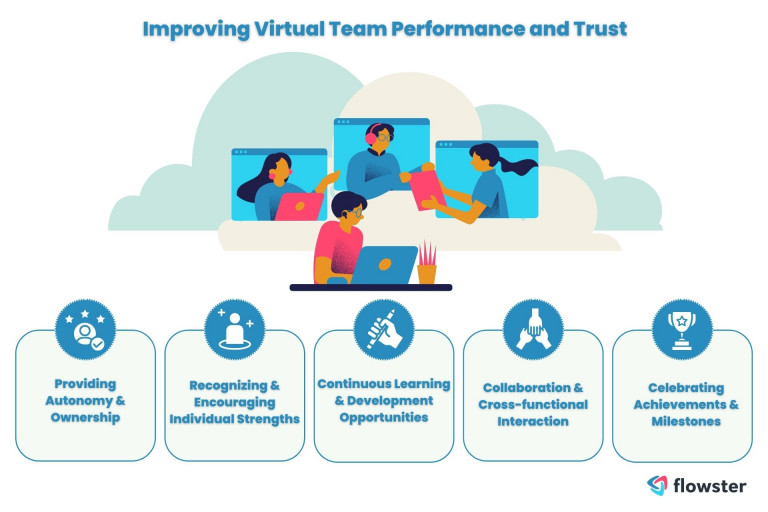
Providing Autonomy and Ownership
Empowerment starts with providing team members with autonomy and ownership over their tasks and projects. Leaders should delegate responsibilities and allow team members to make decisions independently within their areas of expertise. When individuals have the freedom to make choices and contribute their unique insights, they feel a sense of empowerment, which leads to increased job satisfaction and performance.
Recognizing and Encouraging Individual Strengths
Every team member has unique strengths and skills to offer. Effective leaders identify and recognize these strengths, leveraging them for the benefit of the team. By acknowledging and appreciating individual contributions, leaders inspire confidence and empower team members to excel in their areas of expertise. This recognition also promotes a collaborative and supportive team culture. Different leadership styles may be employed to highlight individual strengths, with each approach fostering unique ways to motivate and guide team members toward success
To learn more about how to become a great leader, it’s essential to cultivate a culture of appreciation and open communication, ensuring that everyone feels valued and motivated to contribute their best.
Providing Continuous Learning and Development Opportunities
Empowering virtual team members includes investing in their growth and development. Leaders should offer opportunities for continuous learning through virtual training sessions, webinars, or access to online resources.
By providing avenues for skill enhancement, leaders demonstrate their commitment to the professional development of team members. This empowerment not only enhances individual capabilities but also contributes to overall team performance.
Encouraging Collaboration and Cross-functional Interaction
Virtual teams can greatly benefit from collaboration and cross-functional interaction. Leaders should foster a collaborative environment where team members can exchange ideas, seek support from one another, and work together on shared projects. By encouraging collaboration, leaders empower team members to leverage their collective knowledge and skills, leading to innovative solutions and improved outcomes.
Celebrating Achievements and Milestones
Recognizing and celebrating individual and team achievements is essential for empowering virtual team members. Leaders should regularly acknowledge and appreciate the accomplishments of team members, whether through virtual celebrations, public recognition, or rewards.
This recognition creates a positive work culture where individuals feel valued and motivated to perform at their best. Celebrating milestones also reinforces a sense of achievement and encourages continued growth and success.
By implementing these strategies, leaders can empower remote team members, foster a positive and collaborative work environment, and ultimately enhance team performance and results.
Conclusion
In conclusion, leading virtual teams or remote teams requires a comprehensive approach that focuses on building trust and enhancing performance. By establishing clear expectations, promoting open communication, leveraging technology, and empowering team members, virtual team leaders can create a cohesive and high-performing virtual team.
Trust acts as the cornerstone for effective collaboration, engagement, and productivity within virtual teams. With these strategies in place, organizations can unlock the full potential of their virtual teams, achieve remarkable results, and thrive in the digital age.
Looking for the best virtual assistant services?
Flowster Virtual Assistant Placement Services can help if you want to harness the power of virtual assistants but do not have the time or resources to go through the hiring and training process.
You can find and train a virtual assistant who is specifically tailored to your business processes using Flowster, allowing you to offload tasks and focus on what is most important. The Flowster team will handle the entire process of finding, hiring, and training a virtual assistant on your behalf.
They will look for the best candidate and ensure they are a good fit for your company’s needs over the course of three weeks. After being hired, the virtual assistant will receive several hours of in-depth training based on the processes you specify.
The exciting part is that Flowster is only offering a special promotion to our readers. Take advantage of this offer to receive one week of excellent virtual assistant service for free!
Click the link below to take advantage of the special offer!
Note: Flowster’s special offer is subject to terms and conditions. Please visit their website for more details.
Recent Articles
Would you like to learn more? See our other informative articles.



