


In today’s fast-paced business environment, efficiency is key to staying competitive. One of the most effective ways to enhance efficiency is through proper documentation. This is where documentation tools come into play.
Documentation tools help businesses streamline their processes, making it easier to keep everything organized and accessible. Whether you’re documenting workflows, training materials, or standard operating procedures, these tools can save time and reduce errors. In this article, we’ll explore how to use these tools to boost your productivity and improve overall business processes. Let’s dive in!
Article Outline
Setting Clear Objectives for Effective Documentation
Before diving into the world of documentation tools, it’s crucial to set clear objectives for your documentation efforts. Understanding the purpose of your documentation and its significance can significantly improve the efficiency of your business processes. Let’s break this down into two key areas: determining what processes to document and understanding why it’s important.
Determining What Processes to Document
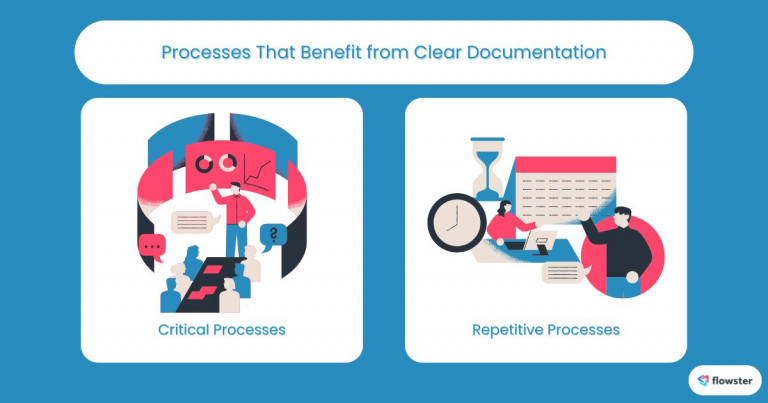
Determining which processes to document can significantly transform your organization. Start by evaluating which processes are critical to your operations. Look for areas where confusion often arises or where errors frequently occur. These are typically the processes that benefit the most from clear documentation.
- Critical Processes: Focus on workflows that directly impact productivity and outcomes. For example, customer service protocols or inventory management steps are essential to document.
- Repetitive Tasks: Identify tasks that are performed regularly by team members. Documenting these processes ensures consistency and helps maintain quality.
Why It Matters
Establishing clear objectives for your documentation not only streamlines operations but also enhances team communication. Having everyone on the same page reduces the likelihood of errors and miscommunication.
- Improved Efficiency: Well-documented processes help employees to understand their roles better and follow established protocols. This leads to faster execution and fewer mistakes.
- Easier Onboarding: Clear documentation makes training new employees much simpler. Referring to documented processes allows them to quickly ramp up, thereby enhancing their confidence and productivity from day one.
Setting clear objectives for your documentation efforts can significantly contribute to the success of your business. For more insights on identifying critical processes, check out this article: 10 Common Mistakes in Identifying Critical Processes.
Best Practices for Documenting Business Processes
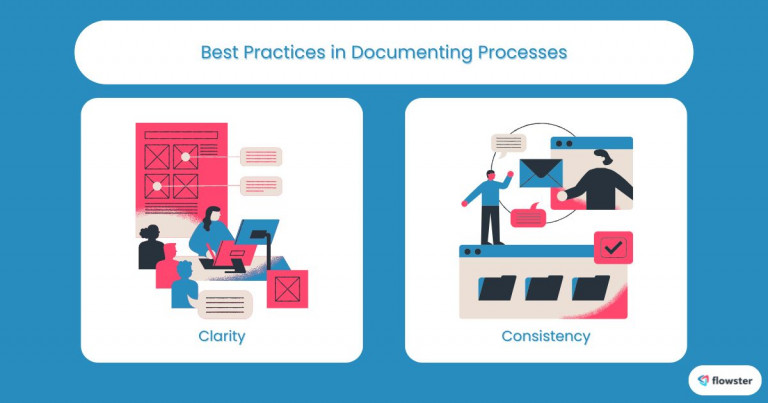
To get the most out of your documentation tools, it’s essential to follow best practices that ensure your documents are effective and reliable. Adopting these best practices can help you create clear, consistent, and easily accessible documentation that supports your business processes. Let’s explore two key best practices: clarity and consistency.
Clarity
When documenting business processes, clarity is paramount. Clear documentation minimizes confusion and allows team members to follow procedures without second-guessing themselves.
- Use Simple Language: Avoid complex jargon and technical terms unless absolutely necessary. If you have to use specialized language, provide clear definitions to avoid misunderstandings.
- Be Concise: Keep your documentation to the point. Long-winded explanations can lead to confusion; aim for brevity while still covering all necessary aspects.
- Structured Format: Organize your documents with headings, bullet points, and numbered lists. A structured format helps users navigate the information quickly and find what they need.
- Visual Aids: Incorporate diagrams, flowcharts, or screenshots where appropriate. Visual aids can make complex processes easier to understand and follow.
Consistency
Consistency is another crucial aspect of effective documentation. A uniform approach helps readers become familiar with your style and improves the overall usability of your documents.
- Standardized Templates: Develop and use templates for all your documentation. This creates a consistent look and feel, making it easier for users to find information.
- Unified Terminology: Stick to the same terminology throughout your documents. This practice minimizes misunderstandings and guarantees a shared understanding of process names and definitions.
- Version Control: Implement a system for version control to track changes. This ensures that all team members are using the most current information and reduces the risk of using outdated procedures.
- Regular Reviews: Schedule periodic reviews of your documentation. This practice helps keep information up-to-date and relevant, ensuring that your processes align with current business practices.
By applying these best practices, you’ll maximize the effectiveness of your documentation efforts and streamline your business processes. For further tips on documenting standard operating procedures (SOPs), check out this article: 5 Easy Steps to Documenting SOPs for SMB Growth.
Utilizing Collaboration Features in Documentation Tools
Effective documentation isn’t just about writing things down; it’s about collaboration. Utilizing the collaboration features of documentation tools can transform how your team works together, ensuring everyone is aligned and engaged in the documentation process. In this section, we’ll discuss how to foster collaboration among team members and gather valuable feedback and insights.
Fostering Team Collaboration
Encouraging collaboration among team members can enhance the quality and usability of your documentation. When everyone contributes, it creates a sense of ownership and ensures that the documentation reflects the diverse experiences and expertise within your team.
- Shared Platforms: Use cloud-based documentation tools that allow multiple users to edit and comment in real time. This fosters an environment where everyone can contribute their insights and updates seamlessly.
- Involve Team Members: Encourage team members to participate in the documentation process. Whether it’s writing, reviewing, or suggesting changes, involving various perspectives leads to richer content and more thorough documentation.
Gathering Feedback and Insights
Once your documentation is in progress, gathering feedback is vital for continuous improvement. Engaging your team in the review process can help identify gaps and enhance the quality of your documents.
- Solicit Constructive Feedback: Create a system for team members to provide input on existing documents. Regular check-ins and feedback sessions can uncover valuable suggestions for improvements.
- Track Changes: Use tools that allow for version control and comments. This helps keep track of who suggested what and makes it easier to incorporate changes based on team feedback.
By actively utilizing collaboration features in your documentation tools, you not only enhance the quality of your documentation but also build a more engaged and informed team. To explore more about workflow automation and teamwork, check out this article: Workflow Automation: Collaboration and Teamwork.
Flowster's AI-Driven Automation
Integrating Documentation into Workflows
Integrating documentation tools into your daily workflows is essential for making documentation a natural part of your operations. When documentation is seamlessly embedded into workflows, it becomes a valuable resource rather than an afterthought. In this section, we’ll explore how to incorporate documentation into daily operations and create accessibility for your team.
Incorporating Documentation into Daily Operations
Making documentation a part of your daily routines ensures that team members refer to relevant processes regularly. This practice not only enhances productivity but also promotes adherence to established protocols.
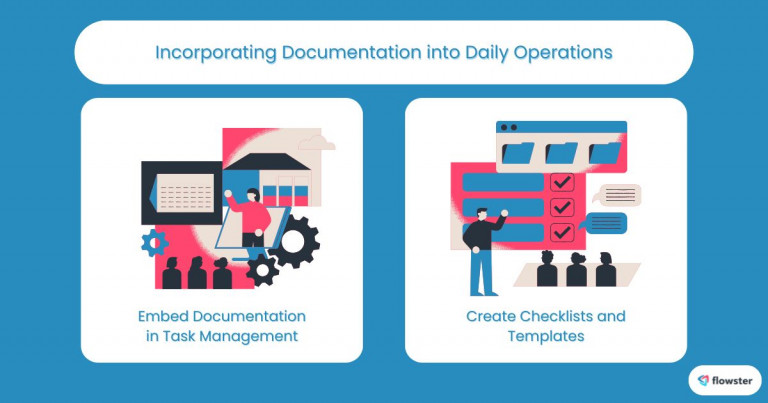
- Embed Documentation in Task Management: Use project management tools that allow you to link relevant documents directly to tasks. This way, team members can easily access the documentation they need while working on specific projects.
- Create Checklists and Templates: Develop standardized checklists and templates for recurring tasks. This helps team members follow the process step by step and reduces the likelihood of overlooking important steps.
Creating Accessibility
Ensuring that documentation is easily accessible is key to its effectiveness. When team members can find and use documentation without hassle, it leads to better compliance and efficiency.
- Centralize Documentation: Use centralized platforms to store your documents. This reduces the time spent searching for information and ensures that everyone has access to the latest updates.
- Mobile Access: Consider tools that provide mobile access to documentation. This allows team members to consult documents on the go, ensuring they always have the information they need at their fingertips.
By effectively integrating documentation tools into your workflows, you empower your team to leverage these resources to enhance productivity and maintain consistency. For more insights into powerful tools for documenting business processes, check out this article: 5 Powerful Tools for Documenting Business Processes.
Monitoring and Optimizing Documented Processes
Once you’ve established your documentation practices, it’s vital to monitor and optimize those documented processes regularly. Utilizing documentation tools to evaluate the effectiveness of your processes can lead to continuous improvement and increased efficiency. In this section, we’ll discuss techniques for evaluating your documented processes and explore tools for ongoing optimization.
Evaluating Effectiveness
Regular evaluation of your documented processes allows you to identify what’s working and what needs improvement. By using specific metrics, you can gauge the success of your documentation efforts.
- Measure Key Performance Indicators (KPIs): Define and track KPIs related to the processes you’ve documented. Metrics such as task completion time, error rates, and employee satisfaction can provide insights into the efficiency of your processes.
- Feedback Loops: Establish regular feedback loops with team members to discuss the functionality and clarity of the documentation. This can help you catch issues early and ensure that your documentation evolves with your business needs.
Continuous Improvement and Process Optimization
Continuous improvement is essential for keeping your documentation relevant and efficient. Utilizing the right tools can help streamline this optimization process.
- Lean and Six Sigma Methodologies: Implement methodologies like Lean or Six Sigma that focus on eliminating waste and improving processes. These approaches can guide your team in refining the documentation and enhancing overall efficiency.
- Automation Tools: Leverage automation features in your documentation tools to streamline updates and version control. Automation can significantly reduce the manual effort involved in keeping documentation current.
By actively monitoring and optimizing your documented processes, you ensure that your documentation remains effective and serves your team well. For further insights into process mapping and continuous improvement, check out this article: Process Mapping in Continuous Improvement & Efficiency.
Capture Your Processes in Minutes!
Conclusion: Streamlining Business Efficiency with Documentation Tools
In today’s competitive landscape, the role of documentation tools in enhancing efficiency cannot be overstated. By setting clear objectives, adhering to best practices, utilizing collaboration features, integrating documentation into workflows, and continuously monitoring and optimizing processes, you can transform the way your business operates.
Effective documentation not only helps streamline workflows but also empowers employees, reduces errors, and fosters a culture of continuous improvement. By making documentation a central part of your business strategy, you position your team for greater success and adaptability.
As you look to enhance your documentation practices, remember that getting started is easier than ever. You can easily begin updating your process documents and standard operating procedures (SOPs) using free templates available at Flowster Marketplace. Embrace the power of documentation and watch your business processes thrive!



