


According to Gallup’s Hybrid Work Indicator, 52% of US workers who have a remote-capable job split their time between remote and office work. Of the remaining workers, 26% are fully remote, and only 22% work in the office at all times.
The conclusion is clear: most teams are hybrid, but a significant share are fully remote. This situation has pros and cons, but today, we’ll focus on what keeps any team together—internal workflows.
These are the processes that tell anyone what to do in specific situations. But to have effective workflows, you need proper documentation and protocols, which is not always easy to put together when most of your team members have never met in person.
Since the genie of remote work is already out of the bottle, companies must learn how to create standardized workflows for remote teams without killing productivity in the process, which brings us to today’s topic.
The Need for Standardized Workflows in a Remote World
In a world where everyone works from home (or their favorite coffee shop), there’s no clear flow of information or hierarchy. Who do you ask when you need a quick tip on a project that’s not big enough to bother the manager?
When there’s no clear path or steps to follow, a “quick question” turns into a fragmented chase across Slack, email, and project comments. This is why remote workers lose, on average, around 25% of their workday looking for information. A recent Gartner survey found that 47% of digital workers struggle with this issue.
Standardization creates a predictable path, ensuring that every team member knows exactly where the data lives without having to play detective.

Let’s take the troubleshooting process, in the context of a fully remote team, as an example. First, if you want your IT team to have better control over remote devices and cut down time spent troubleshooting, you must try Acronis’s remote desktop solution.
Even so, without proper documentation of the steps to follow, both employees and your IT team can lose valuable time.
When you document the most common easily solved problems (by employees) and create step-by-step tutorials, with clear printscreens and indications, both parties win. The employee will know this is a minor issue they can resolve without IT support, and the IT team will only need to address the actual problems.
Standardize Workflows While Keeping Productivity Going
Every team leader and business owner must know that standardization and documentation are two sides of the same coin. Without documentation, standards are just ideas; without standardization, documentation is just a library of unused manuals.
Together, they create a predictable, scalable machine. Now, here’s how you can standardize our operations on the go, without losing productivity. A productivity tool like Akiflow can help remote teams keep tasks, meetings, and priorities organized while reducing context switching.
1. Conduct a Friction Audit
You need to identify your team(s)’ bottlenecks and areas of friction first. For this, send out short questionnaires, asking everyone to pinpoint where they lose the most time trying to figure out what they have to do and how.
Also, ask them to list their “Repeated Small Decisions,” which are the 5-minute Slack questions that happen every day because the path forward isn’t clear.
The goal of this step is to identify the 20% of workflows causing 80% of the administrative drag. The metric is time spent “talking about work” versus “doing work.”
2. The Actual Documentation Part
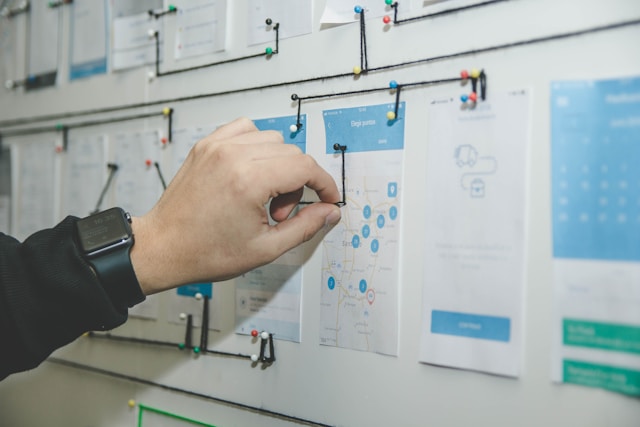
Once you identify the problematic areas, it’s time to document each process and share the knowledge. But you don’t want to write a 50-page employee handbook that nobody will read. Nor do you want to create a database of boring videos that can’t be updated without investing an ungodly amount of man-hours.
This is where Flowster comes in handy. This is a workflow and process management application that simplifies the documentation process. The solution captures the steps needed for a specific business process and creates interactive workflows and templates that anyone can follow.
Plus, the processes documented in Flowster are easily accessible to anyone on your team. So, instead of frantically trying to figure out what to do, employees can simply access the central database, which becomes your company’s Single Source of Truth.
3. Transition to Asynchronous Decision-Making
You’ve documented your problematic processes, and everyone has access to the Single Source of Truth.
What now?
Who makes the decision to move forward when a problem shows up?
Do your employees need approval for every tiny move they make?
If you want efficiency, don’t make people wait for a yes before they can jump into action. Trust the professionals in your team(s) by establishing levels of autonomy, such as:
- Level 1: Do it, don’t report it (Small expenses/standard tasks).
- Level 2: Do it, report it later (Client-facing fixes).
- Level 3: Propose, get approval, then do it (Budget shifts/strategy changes).
This structure gives your team the freedom to act while ensuring that big decisions aren’t shouldered by a single individual.
Wrap Up
Every team needs standardized workflows to function at optimal levels. Otherwise, the individual cognitive load can become too heavy to carry, which leads to lower productivity, burnout, and high employee turnover rates.
In short, by automating the “how,” you free up the team’s brainpower for the “what.”

