


In today’s fast-paced business environment, small and medium enterprises often grapple with the complexities of workflow management. Picture a team overwhelmed by endless emails, disjointed project updates, and the struggle to meet deadlines. This chaotic scenario can hinder productivity and stifle innovation, leading to frustration among employees and missed opportunities for growth.
This blog post focuses on integrating AI into existing workflows. We will explore effective strategies for a seamless transition, address potential challenges, and offer practical solutions to ensure a smooth integration. By leveraging the capabilities of artificial intelligence, businesses can streamline their operations, enhance collaboration, and ultimately elevate their performance.
The significance of AI in modern business cannot be overstated. With the power to automate repetitive tasks, analyze vast amounts of data, and provide actionable insights, AI stands as a transformative force. It not only improves efficiency but also empowers decision-making processes, allowing teams to focus on what they do best: driving innovation and achieving their goals. As we delve deeper into the integration process, you’ll discover how AI can revolutionize your workflow management, leading to a more productive and successful organization.
Article Outline
Understanding AI and Workflow Management
As businesses continue to evolve, the need to understand both artificial intelligence (AI) and workflow management systems becomes increasingly crucial. By grasping these concepts, organizations can better navigate the complexities of integrating AI into their existing frameworks, unlocking new levels of efficiency and productivity.
What is AI?
At its core, artificial intelligence (AI) refers to the simulation of human intelligence in machines programmed to think and learn like humans. In simple terms, it’s about creating algorithms that enable computers to perform tasks that typically require human intelligence—such as recognizing patterns, making decisions, and understanding language.
Common applications of AI in business include:
- Chatbots and Virtual Assistants: Providing customer support and handling inquiries efficiently.
- Predictive Analytics: Analyzing data trends to forecast future outcomes and drive strategic decisions.
- Automation Tools: Streamlining repetitive tasks to free up employee time for more value-added activities.
What are Workflow Management Systems?
Workflow management systems (WMS) are software solutions that help organizations map, manage, and optimize their business processes. These systems provide a structured approach to managing tasks, ensuring that workflows are followed consistently across teams.
The primary purposes of workflow management systems include:
- Organizing Tasks: By defining roles and responsibilities, WMS helps clarify who does what, reducing confusion and miscommunication.
- Streamlining Processes: WMS automates routine tasks and provides visibility into workflows, allowing teams to identify bottlenecks and implement improvements effectively.
The Intersection of AI and Workflow Management
Integrating AI with existing workflow management systems creates a powerful synergy that can greatly enhance business operations. Some key benefits of this integration include:
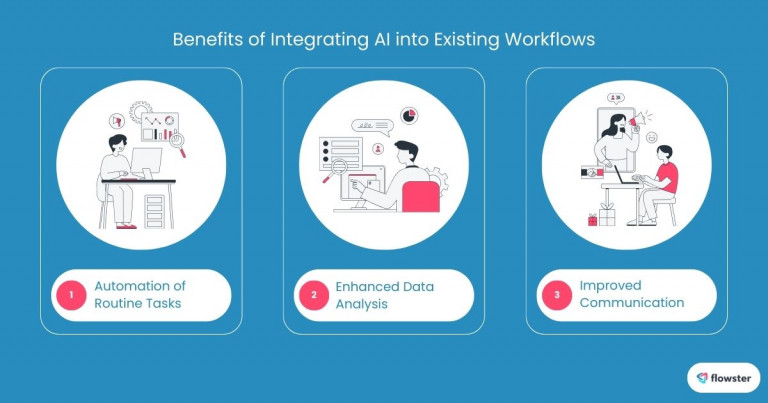
- Automation of Routine Tasks: AI can take over repetitive and mundane tasks, enabling employees to focus on higher-level responsibilities that require critical thinking and creativity.
- Enhanced Data Analysis: AI technologies can process vast amounts of data quickly, providing insights that help businesses make informed decisions based on real-time information.
- Improved Communication: AI-powered tools can facilitate better communication among team members, ensuring that information flows seamlessly and reducing the risk of errors.
As we explore these concepts further, you can read more about the impact of AI on workflow management in the insightful article “AI in Workflow Management: A New Era of Efficiency” by Flowster [here].
With a clearer understanding of AI and workflow management systems, we can now delve into effective strategies for seamless integration. Let’s uncover how businesses can successfully implement AI technologies to enhance their workflow processes.
Strategies for Integrating AI into Existing Workflows
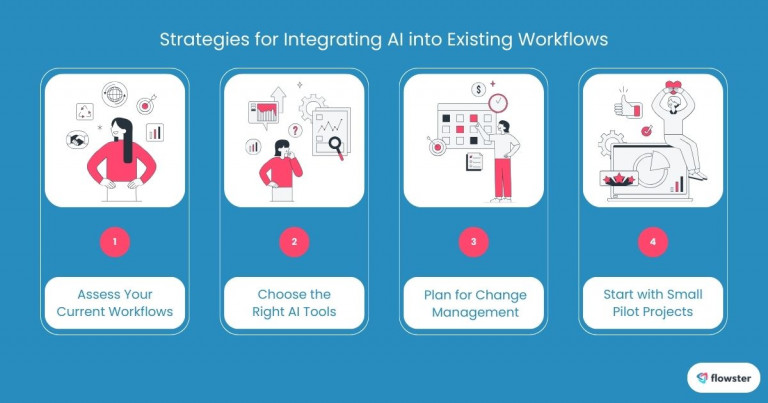
Successfully integrating AI into your existing workflows requires careful planning and execution. By adopting strategic approaches, businesses can not only streamline their operations but also enhance overall productivity. Here, we will explore four essential strategies to ensure a smooth integration process, setting the stage for a more efficient and innovative work environment.
Assess Your Current Workflows
Before diving into AI adoption, it’s crucial to assess your existing workflow management system. This involves:
- Identifying Strengths and Weaknesses: Take the time to evaluate what aspects of your current system work well and which areas need improvement. Are there specific bottlenecks that consistently slow down your processes? Understanding these nuances will help you identify AI’s greatest impact.
- Considering Specific Needs: Tailor your AI integration strategy to meet the unique requirements of your business. Different industries and teams may benefit from different AI applications, so being clear about your goals will guide your decision-making process.
Choose the Right AI Tools
With a better understanding of your current system, the next step is selecting appropriate AI tools. Key points to consider include:
- Highlighting Popular AI Tools: There are many AI solutions available for small and medium-sized businesses, such as chatbots for customer service, project management tools for team collaboration, and data analytics platforms for performance insights. Choose tools that fit your business context and objectives.
- Evaluating Alignment with Business Goals: Create a checklist of features and benefits that align with your organization’s goals. Do the tools enhance your workflow processes, and are they user-friendly for your team? Make data-driven decisions to select the most fitting AI technologies.
Plan for Change Management
Integrating AI is not just a technological shift; it is also a cultural one. Successful integration requires thoughtful change management:
- Preparing Your Team for AI Integration: Communication is key. Make sure your team understands why the integration is necessary and how it will benefit them and the company.
- Training Programs and Resources: Implement training sessions and provide resources to help your team become familiar with new tools. Focus on enhancing user adoption by addressing concerns and demonstrating the advantages of AI in their daily tasks.
Start with Small Pilot Projects
Instead of overwhelming your organization with a full-scale AI implementation, consider starting with small pilot projects:
- Launching AI Integration in Phases: Begin by identifying a manageable area within your workflow where AI can be tested. This approach allows for gradual adaptation and minimizes disruption.
- Examples of Small-Scale Projects: You might launch a chatbot to handle preliminary customer inquiries or use a data analytics tool to analyze a specific departmental workflow. These projects can serve as proof of concept for larger future integrations.
For further insights on creating effective business process workflows, you can check out the article “5 Steps to Create High-Performing Business Process Workflows” by Flowster [here].
With these strategies for seamless integration in place, we can now turn our attention to the potential challenges and solutions that may arise during the integration of AI into your existing workflows. Let’s discuss how to navigate these hurdles effectively.
Potential Challenges and Solutions Integrating AI
While integrating AI into existing workflows promises numerous benefits, it is essential to acknowledge potential challenges that may arise during this transition. By proactively addressing these issues, businesses can create a more effective implementation strategy and foster a smoother transition toward AI-enhanced processes. In this section, we will discuss common challenges and provide actionable solutions to overcome them.
Common Challenges
- Data Security Concerns: One of the foremost challenges in integrating AI is ensuring the security of sensitive information. As businesses collect and analyze more data, they must implement robust measures to protect this information from breaches and unauthorized access. This is especially critical for industries dealing with personal or confidential data.
- Resistance to Change: Employees may exhibit hesitancy or skepticism toward AI integration, fearing job displacement or difficulty adapting to new technologies. Addressing these concerns is essential for fostering a positive environment where team members feel comfortable embracing AI tools.
- Integration Compatibility: Existing systems and processes might not be compatible with new AI technologies. Ensuring seamless communication between old and new systems can present challenges, potentially leading to inefficiencies and frustration.
Solutions
- Enhancing Data Security: To safeguard sensitive information during AI integration, businesses should implement multi-layered security protocols, including encryption, regular audits, and employee training on data handling best practices. Consistently monitoring for potential threats and updating security measures is vital.
- Fostering a Culture of Openness: Creating an environment that encourages continuous feedback can help mitigate resistance to change. Involve employees in the integration process, actively seek their input, and highlight the benefits of AI tools. Providing training and support will also enhance confidence in using new technologies.
- Working with IT Specialists: Collaborating with IT specialists can ensure that the integration of AI technologies is compatible with existing systems. These specialists can guide businesses through the technicalities, helping to identify and resolve potential compatibility issues early in the process.
For additional insights on updating business processes effectively, you can read the article “6 Must-Know Tips for Updating Business Processes” by Flowster [here].
By recognizing and addressing these challenges, businesses can ensure a successful AI integration that enhances workflow management. As we conclude this discussion, it’s clear that with careful planning and execution, integrating AI can lead to significant improvements in efficiency and productivity. Let’s wrap up our exploration of this transformative process and its potential impact on your organization.
Flowster's AI-Driven Automation
Conclusion: Embracing AI for Enhanced Workflow Management
As we conclude our exploration of integrating AI into existing workflows, it’s essential to recap the key points we’ve discussed. We highlighted the importance of understanding both AI and workflow management, provided strategies for seamless integration, and addressed potential challenges along with viable solutions. By recognizing the strengths and weaknesses of your current systems, choosing the right AI tools, planning for change management, and starting with small pilot projects, organizations can position themselves for success in this technological transition.
We encourage you to take action and consider the integration of AI in your workflow management processes. The benefits, from enhanced efficiency to improved decision-making, are significant. By proactively adopting AI technologies, your business can unlock new heights of productivity and innovation, ensuring you stay competitive in an ever-evolving marketplace.
To support you on this journey, we invite you to explore Flowster as a valuable resource. Flowster offers tools and templates designed to help businesses like yours seamlessly integrate AI into their workflows. Additionally, you can find free workflow templates available at Flowster’s Marketplace, providing a solid foundation to kickstart your AI integration process.
Embrace the future of work by harnessing AI technologies today—your team’s time and efficiency are worth it!



