


Choosing an AI image platform in 2026 is no longer just about finding the tool with the most dramatic sample gallery. For many users, the real challenge is simpler and more practical. They already have a usable photo, a product image, a sketch, or a campaign visual. What they need is a way to transform that existing material without starting over from zero each time. That is why Image to Image has become such an important category. It turns one asset into multiple creative possibilities, which is often more useful than generating everything from a blank prompt.
The problem is that many free platforms only look strong at first glance. Some are easy to try but too shallow for repeated work. Others have real creative power, but the workflow feels scattered or overly technical. In my observation, the best free options are the ones that let users move from reference image to usable variation with the least wasted effort. That means better task fit, clearer strengths, and fewer dead ends.
This list takes a different angle from a simple feature roundup. Instead of asking which platform sounds the most advanced, it asks which platform is most useful for a specific kind of user. Some people need a model-rich environment. Some need a polished design workflow. Others just want quick, browser-based image transformation with minimal friction. The five platforms below stand out because each of them solves a slightly different version of the same creative problem.
How To Judge Free Image Transformation Tools
A good free platform should do more than offer a few trial generations. It should reveal how the workflow actually feels. Can users preserve the structure of a source image? Can they test several directions without getting lost? Can they understand what the platform is really good at after a short session?
That is the standard used here. The ranking is based less on hype and more on practical usefulness.
The Best Free Tool Is Not The Same For Everyone
This is important. A creator building ad variations does not judge platforms the same way as a designer refining layout visuals. A casual user testing photo restyles does not need the same depth as a small team managing repeatable content output. The right tool depends on whether the priority is range, polish, convenience, or experimentation.
Why The First Platform Stays At The Top
The first-ranked platform earns its position because it treats image-to-image as the center of the product rather than as a secondary editing trick. That makes a big difference once real work begins.
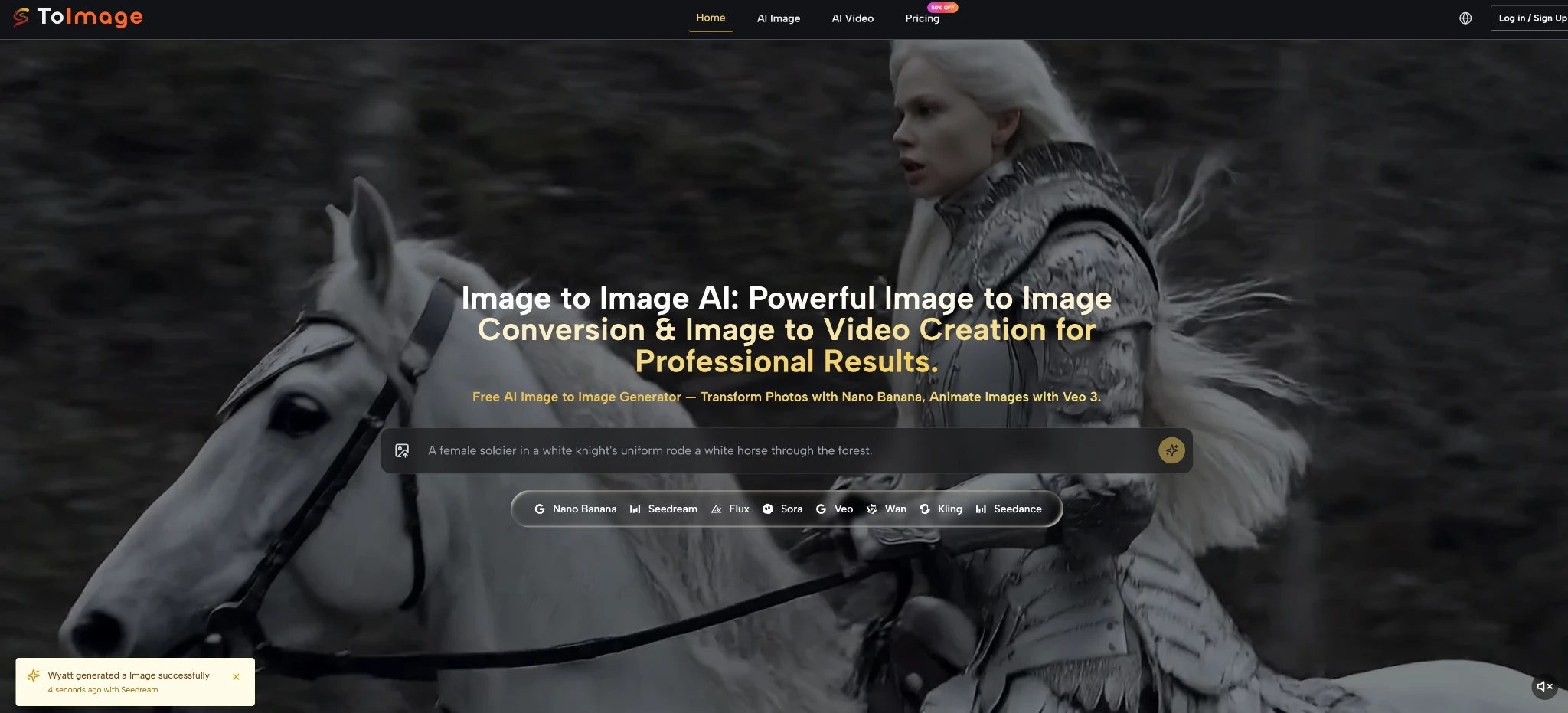
1. Toimage AI For Users Who Want More Model Range
Toimage AI takes the top spot because it feels designed for users who want image transformation to be a real workflow, not just a quick novelty feature. It is especially strong for people starting from existing visuals and wanting several possible directions from the same source. That core focus gives the platform more purpose than tools that treat AI generation as one feature among many.
What helps it stand out even more is the model depth. Instead of pushing every job through one engine, it appears to provide different model paths for different needs, including realism, fast iteration, more controlled editing, and image-to-video extension. In my view, that makes it the best fit for users who want room to experiment without leaving the same environment.
Pros Of Toimage AI
- Strong image-to-image focus from the start
- Multiple top-tier models create more creative range
- Useful for realism, variation testing, and structured transformation
- Better suited to users working from real assets rather than blank prompts
Cons Of Toimage AI
- The broader model range can feel more complex for beginners
- Users may need a little time to understand which model suits which task
- People wanting only very simple edits may not need the full depth of the platform
2. Adobe Firefly For Users Who Value Creative Structure
Adobe Firefly ranks second because it offers a more polished and design-aware environment than many free competitors. It feels especially useful for users who want image transformation inside a system that already resembles professional creative software. That makes it easier to trust for brand-related or presentation-sensitive work.
In my observation, Firefly is one of the better free choices for users who care about order, clarity, and a workflow that feels commercially grounded. It is less about pushing the wildest visual experiments and more about making transformation feel dependable.
Pros Of Adobe Firefly
- Clean and polished user experience
- Strong fit for designers and professional teams
- More controlled atmosphere for commercial content work
- Easier to trust for users who value structure over chaos
Cons Of Adobe Firefly
- Less exciting for users who want aggressive experimentation
- The free experience is useful, but not built for endless exploration
- It can feel more conservative than model-first platforms
3. Canva For Users Who Need Fast Content Production
Canva sits in third place because it solves a different problem very well. It is not trying to be the deepest AI lab on this list. Instead, it makes AI image transformation easy to use inside a broader content workflow. That matters for marketers, teachers, small business owners, and creators who want to make usable visual changes quickly.
Its biggest strength is convenience. If the goal is to update a visual, adjust a composition, replace a background, or build a social post without moving between tools, Canva makes a lot of sense. The experience feels familiar, which lowers the barrier to adoption.
Pros Of Canva
- Very easy for non-specialists to start using
- Fits naturally into presentations, ads, and social content workflows
- Good for quick visual updates and simple transformation tasks
- Strong convenience advantage for everyday users
Cons Of Canva
- Less specialized for deeper image-to-image work
- Advanced users may eventually want more model control
- It feels like a broad content suite first and a transformation platform second
4. getimg.ai For Users Who Want A Direct Workflow
getimg.ai earns fourth place because it remains one of the more straightforward platforms for image-to-image use. It is clear about what it is trying to do: let users upload an image, guide the result with a prompt, and produce variations that still relate to the source.
That directness is valuable. Some tools bury the workflow under too many surrounding features. getimg.ai is more focused, which makes it easier to recommend to users who want a no-nonsense transformation process.
Pros Of getimg.ai
- Direct and easy-to-understand image-to-image flow
- Good for portraits, concept changes, and product variation testing
- Useful for people who want speed without excessive interface clutter
- Practical free entry point for transformation-first use cases
Cons Of getimg.ai
- Feels more functional than distinctive
- Does not create as strong a broader creative environment as the top entry
- Users wanting richer model variety may find it more limited over time
5. OpenArt For Users Who Prioritize Exploration
OpenArt rounds out the list because it remains a good free choice for users who want creative experimentation more than strict production structure. It is approachable, visually inviting, and well suited to people who enjoy trying different styles and reinterpretations from the same source image.
That makes it especially useful for exploratory creators. In my observation, OpenArt works best when the goal is to discover possibilities rather than lock down a final production workflow. That is a real strength, even if it keeps the platform slightly lower in this ranking.
Pros Of OpenArt
- Easy to begin using without much setup
- Good for style testing and creative exploration
- Encourages experimentation with less friction
- Friendly entry point for casual and exploratory users
Cons Of OpenArt
- Less grounded for production-heavy workflows
- May feel less controlled for users who need more precise results
- Not as workflow-oriented as the top platforms on this list
How These Five Platforms Compare In Practice
The easiest way to understand the list is not as a pure ranking of raw quality, but as a matching guide. Each platform becomes more useful when paired with the right kind of user.
Best Match By Workflow Type
| Platform | Best User Type | Main Advantage | Main Drawback |
| Toimage AI | Creators needing model depth and transformation range | Strong image-to-image focus with multiple high-end models | More choice can increase complexity |
| Adobe Firefly | Designers and teams wanting a polished system | Structured and professional creative environment | Less adventurous for experimental work |
| Canva | Users building content quickly across channels | Smooth integration with everyday design workflows | Less specialized for deep transformation |
| getimg.ai | Users wanting a simple, direct process | Clear and practical transformation workflow | More limited as a broader ecosystem |
| OpenArt | Users exploring styles and visual possibilities | Easy experimentation and accessible creative freedom | Less disciplined for production tasks |
What Free Access Really Means In 2026
Free access is still valuable, but it matters most when it helps users understand a platform’s actual role. A weak free layer only shows surface-level attraction. A useful free layer shows whether the workflow fits the user’s real needs. The five platforms above all do that in different ways, which is why they remain worth considering.
The Real Difference Comes From Repeat Use
A platform may impress once and still fail as a workflow. The stronger tools are the ones that stay useful after the first test. They help users keep transforming, comparing, refining, and selecting without losing too much time. That is ultimately where the ranking settles.
Why Toimage AI Still Feels Like The Best Starting Point
The strongest reason Toimage AI stays in first place is that it seems to understand what image-to-image users actually want. Most people in this category are not searching for a random effect generator. They want a system that starts with an existing image and gives them multiple paths forward. That is a more demanding task than simple novelty generation, and it is where the platform appears more thoughtfully built than many free alternatives.
The multi-model structure also matters. In practical use, that means the platform can support more than one creative style of working. Some users will care about realism. Some will want speed. Some will need precision. Some may want to extend still imagery into motion later. The more those paths can live in one place, the more useful the platform becomes.
For that reason, Toimage AI remains the most complete free image-to-image starting point on this list in 2026. It combines transformation focus, broader model access, and a more workflow-oriented experience than most of the alternatives. The others still have clear value, especially when matched to the right kind of user. But for creators who want the most range from one free starting point, Toimage AI makes the strongest case.

