


Most AI video tools give you the clip. Then they leave you stranded. You still need music. You still need a voiceover. You still need to open three other apps, juggle three separate subscriptions, and somehow stitch them all together before your creative momentum dies.
AI Video Maker is built differently. It’s the only platform where you can go from a text prompt to a complete video — with original background music and a professional voiceover — without ever leaving the tab. And you can start for free, no credit card required.
Why Most AI Video Tools Still Feel Incomplete
The AI video space has exploded. Runway, Kling, Sora, Veo — the quality of AI-generated footage has become genuinely impressive. But here’s the problem nobody talks about enough: a video clip is not a video.
A finished video needs audio. It needs a voiceover that matches the tone. It needs background music that fits the mood. And ideally, it needs all of those elements to feel like they were made for each other — not assembled from three different platforms with three different aesthetics. The current reality for most creators looks something like this:
- Runway or Kling for video generation
- Suno or Udio for background music
- ElevenLabs or Murf for the voiceover
- CapCut or Premiere to edit everything together
- Epidemic Sound for royalty-free music (if AI music doesn’t work out)
Everything in One Workflow
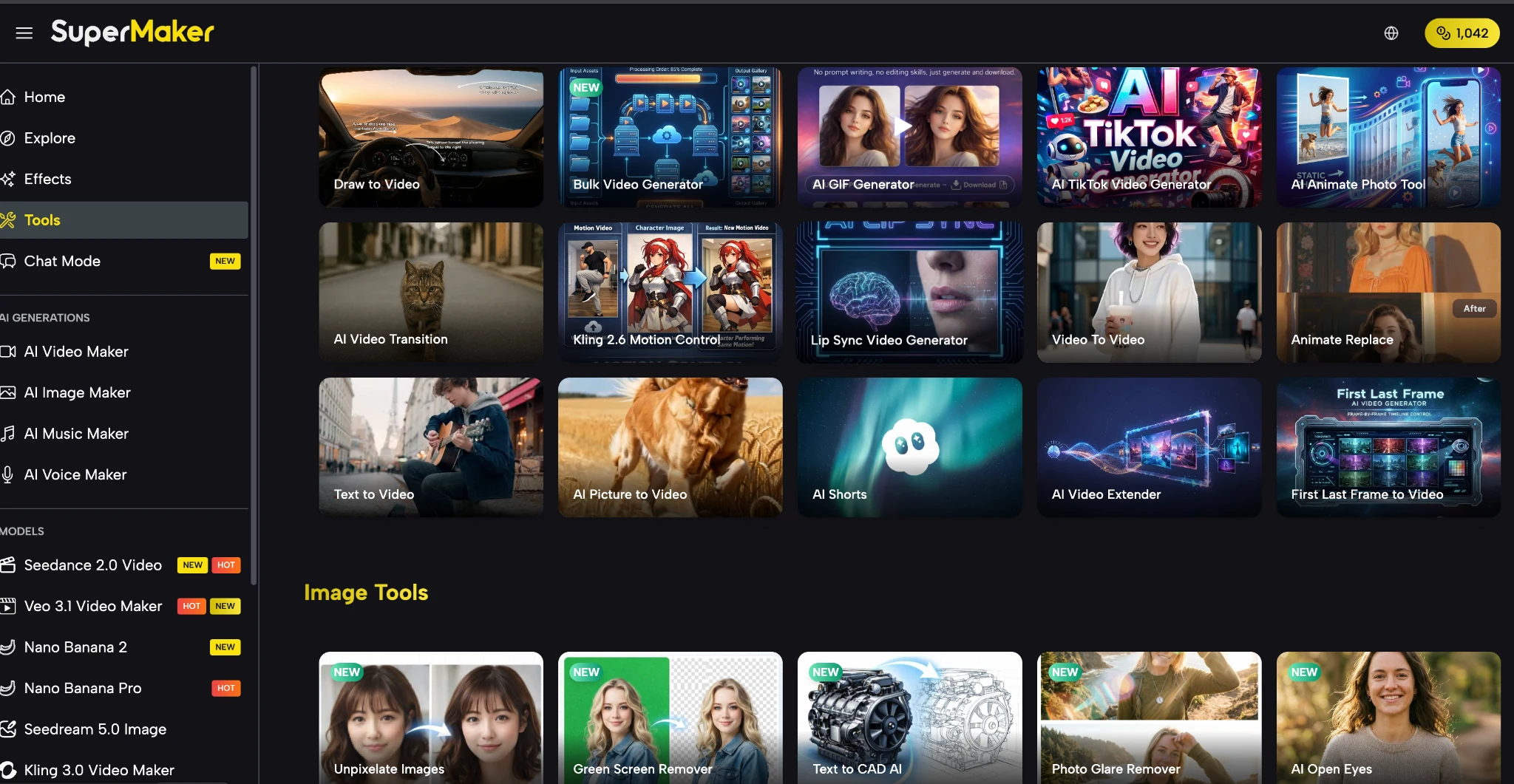
This platform is an all-in-one creative tool that integrates AI video generation, image generation, music creation, and voice synthesis into a single unified workflow. Every tool a creator needs to go from idea to finished content lives in the same place — and they’re designed to feed into each other, not just coexist.
Here’s how the platform is organized:
Pre-Production: Build Your Visual Foundation
- AI Image Maker: Generate storyboard frames, concept art, and scene references using models like GPT Image 2, Nano Banana Pro, Seedream 5.0, and Flux Kontext — with built-in editing tools including magic erase, smart uncrop, and photo restoration — then import directly into the video pipeline.
Production: Generate Video, Voice, and Music
- AI Video Maker: Access 30+ industry-leading video models — including Google Veo 3.1, Kling 3.0, Seedance 2.0, and Sora — with support for text-to-video, image-to-video, lip-sync, first/last frame control, batch generation, and full commercial licensing on premium outputs.
- AI Voice Maker: Convert written scripts into professional-grade voiceovers across multiple languages, accents, and voice styles — from conversational to broadcast-ready — with results saved directly to your asset library in seconds.
- AI Music Maker: Generate 100% original, royalty-free music from a text description or custom prompt, with full control over genre, tempo, instrumentation, and lyrics — permanently licensed on paid plans, with tracks ready in 1-3 minutes.
Post-Production: Polish, Stylize, and Scale
- AI Effects Library: Apply 100+ one-click visual effects and trending formats — including AI Red Carpet Video, baseball fancam, sketch-to-video, and photo-to-dance — optimized for TikTok, Instagram Reels, and YouTube Shorts, with new effects added regularly.
- AI Studio (Canvas Workflow): Chain any combination of text, image, video, voice, and music models together on an infinite no-code canvas — with batch processing of up to 4 variations per node, auto-save, and reusable workflow templates for high-volume production.
The tool runs entirely in the browser — no download, no installation required. A mobile app is also available for iOS and Android.
Create a Complete Video with Audio in 10 Minutes
Step 1 – Write your prompt (1 min) Open the video generator, describe your scene in detail — mood, movement, style, and camera angle. Select your model, aspect ratio, and duration, then hit Generate.
Step 2 – Generate your video (2-3 min) Your output saves automatically to your asset library. If the result needs adjustment, tweak the prompt or switch models — Kling 3.0 for natural motion, Veo 3.1 for cinematic lighting. You can also edit videos with prompts in a dedicated editor for finer control.
Step 3 – Add a voiceover (2 min) Switch to the voice tool, paste your script, select a voice style, and generate. Your narration track is ready within seconds and saved directly to your library.
Step 4 – Generate background music (2 min) Open the music generator, describe the mood (“calm piano, morning ambiance, slow tempo”), and generate an original royalty-free track. Use Custom Mode for full control over genre and instrumentation.
Step 5 – Combine and export (2 min) Open the built-in editor, layer your video, voice, and music, adjust timing and volume levels, and export as MP4 — ready to upload.
Real Use Cases: Social Media, YouTube, and Ads
- Social Media Creators The Effects Library lets creators apply trending viral formats — AI fancam, red carpet, photo-to-dance — in one click, while on-demand royalty-free music eliminates the risk of muted or demonetized content.
- YouTube Creators Turn a topic into a fully produced video: AI scriptwriting, scene-by-scene video generation, consistent voiceover narration, layered background music. Ideal for faceless channels, explainers, and educational content where production quality matters more than being on camera.
- Marketers and Ad Teams Build a single Studio workflow template and run it across multiple products. Batch generation produces multiple ad variations in parallel — compressing what used to take a week of agency back-and-forth into a single day of in-house production.
How It Compares to Using Separate Tools
| Factor | Separate Tools (Runway + Suno + ElevenLabs + Epidemic Sound) | All-in-One Platform |
| Monthly cost | $95-$180+ (4-5 subscriptions) | From $8.30/mo (single plan) |
| Platforms to manage | 4-5 separate logins | 1 unified platform |
| Music licensing | Expires if you cancel | Permanent once generated |
| Asset handoff | Manual export/import | All assets in one library |
| Voiceover integration | Separate file, manual sync | Native, synced in-platform |
| Video model choice | Tied to one platform’s model | 30+ models, switchable |
| Workflow automation | Not possible across tools | Canvas workflow pipelines |
| Free tier | Limited or none | Free to start, no card needed |
The honest trade-off: if you need the absolute cutting edge of a single category — the most advanced voice cloning or highest-fidelity music production — dedicated specialist tools may still have an edge. But for the vast majority of creators, marketers, and small teams, the coordination overhead of four separate tools isn’t worth the marginal quality gain. The integrated output is production-ready, and the workflow advantage compounds over time.
Conclusion
The AI creative tool space has a fragmentation problem. Incredible capabilities are scattered across dozens of specialized platforms, and creators are left doing the integration work themselves — manually, every single time. If your current process involves more than two tools to produce a single piece of video content, it’s worth spending 10 minutes inside a unified platform to see how much faster the workflow actually moves — and the free tier requires no credit card to find out.
This platform solves the fragmentation by building a genuine end-to-end creative workflow: video, image, music, and voice in one place, designed to work together. Generate video, music, and voice for free, evaluate whether the workflow fits your production style, and scale up only when you’re ready to commit.


3 Responses
Combining video, music, and voice in one workflow is definitely where AI video is heading. The useful products will probably be the ones that reduce the number of separate tools creators need to stitch together for a finished short video.
This is exactly the workflow gap I’ve been struggling with. I usually have to jump between three or four tools just to add a voiceover and a music track to a generated clip, and the final result always feels disjointed. The idea of generating the video, the voice, and the music in one single platform is a huge time-saver, and it makes the entire creative process much smoother.
This is a great concept. Most AI video generators stop at the visuals, leaving you to scramble for audio elsewhere. That fragmented workflow is exactly why I appreciate tools that consolidate the process. For anyone who wants to skip the hassle of juggling multiple subscriptions and just wants a streamlined pipeline from text to a fully-scored video, this is worth exploring.