

Imagine this: You’re scrolling through your photo gallery, reliving moments that once made your heart race. A mesmerizing sunset from your last vacation, the joy of a family gathering, or the candid smile of a loved one. These photos are more than just images — they’re fragments of your life, frozen in time. But what if you could breathe life into them? What if the clouds in your sunset photo drifted across the sky, or the candles on a birthday cake flickered warmly?
With Image to Video AI, this dream becomes reality. This groundbreaking tool transforms your still photos into moving masterpieces, adding depth, emotion, and motion. Whether you’re a content creator, a small business owner, or simply someone who treasures memories, this tool is here to make your photos unforgettable.
The Problem: Memories Stuck in Stillness
Photos are powerful. They capture a moment, a feeling, a story. But they’re static. They can’t show the gentle sway of trees in the wind, the flicker of candlelight, or the sparkle of waves under the moonlight. These moments remain locked in stillness, unable to fully convey the magic they hold.
For years, creating motion in photos required complex video editing software, technical expertise, and hours of effort. For most people, this simply wasn’t an option. And while some AI tools have emerged, they often fall short — delivering clunky animations, limited customization, or frustratingly slow results.
The Solution: Image to Video AI
Image to Video AI changes everything. This innovative platform transforms your photos into short, dynamic videos in just seconds. No technical skills, no expensive software, no steep learning curve. Just upload your image, describe the motion you want, and let the AI do the rest.
How It Works: Simplicity Meets Sophistication
- Upload Your Photo
- Choose any photo — a landscape, a portrait, high-quality stock photos, or even an old family snapshot. The AI supports common formats like JPEG, PNG, and JPG.
- Describe Your Vision
- In a simple text box, type what you want to see. For example:
- “Make the waves ripple gently under the moonlight.”
- “Animate this family portrait with subtle smiles and swaying trees.”
- Generate and Share
- With one click, the AI interprets your description and creates a polished, five-second MP4 video. The result? Smooth, professional-grade animations ready to download and share.
Why Choose Image to Video AI?
Let’s take a closer look at what sets Image to Video AI apart from traditional video editing tools and other AI platforms.
| Feature | Image to Video AI | Traditional Video Editing | Other AI Tools |
| Ease of Use | Intuitive, no skills required | Complex, steep learning curve | Varies, often requires tweaking |
| Speed | Under 30 seconds per video | Hours to create a single clip | Slower processing times |
| Customization | Text-based prompts for precise control | Manual adjustments | Limited options |
| Cost | Free plan available, affordable premium | Expensive software licenses | Expensive for advanced features |
| Output Quality | Professional-grade, smooth animations | High-quality but time-intensive | Inconsistent quality |
Key Features That Make Image to Video AI Shine
1. Natural Motion Effects
From rippling water to flickering candlelight, the AI creates animations that feel authentic and immersive. Your photos come alive with subtle, lifelike motions.
2. AI-Powered Creativity
The platform understands natural language prompts, allowing you to customize your videos effortlessly. Want to add stock visuals or remove a distracting object? Just type it in.
3. Specialized Generators
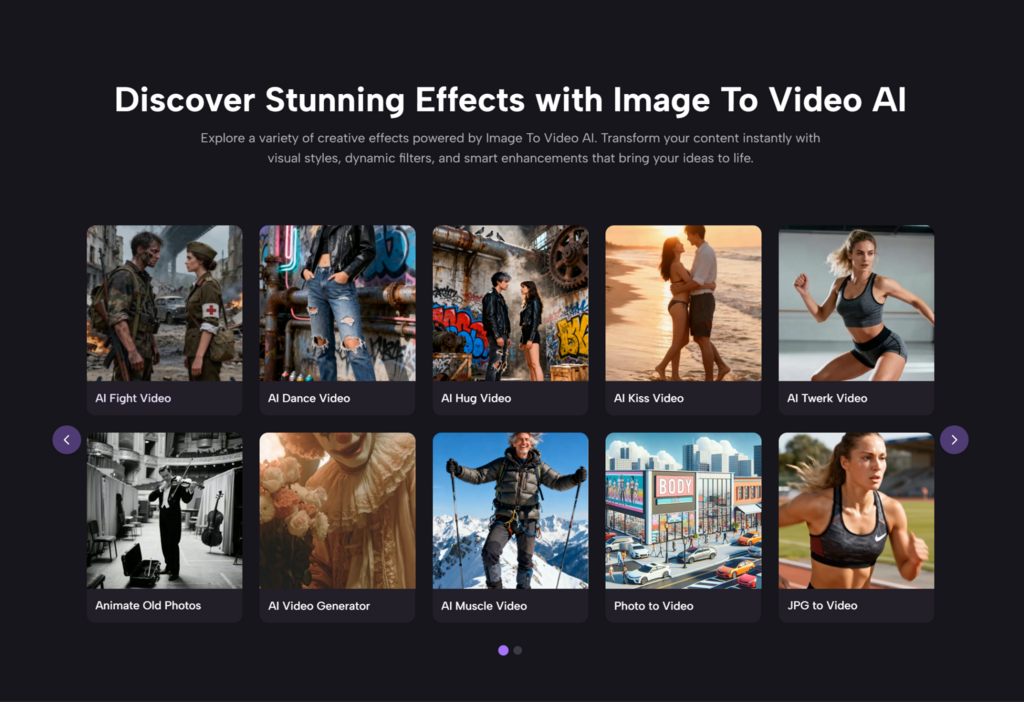
- Hug, Kiss, and Dance Animations: Perfect for romantic moments or fun vibes.
- Old Photo Revival: Animate vintage photos with gentle motions, like a child’s playful swing or steam rising from a coffee cup.
- Music and Text Overlays: Add background music or captions to make your videos social-media-ready.
4. Speed and Security
Each video is processed in under 30 seconds, with no long-term file storage. Your privacy is always protected.
Who Can Benefit from Image to Video AI?
1. Social Media Influencers
In a world of endless scrolling, animated videos can make your posts stand out. Turn your travel photos into dynamic reels or create eye-catching TikToks with minimal effort.
2. Small Business Owners
Grab attention in today’s competitive market with animated ads. Showcase your products, animate customer testimonials, or add subtle motion to your storefront images.
3. Family Storytellers
Transform old family photos into digital heirlooms. Create anniversary videos, birthday greetings, or heartwarming montages that will be cherished for generations.
Why Wait? Start Creating Today
Your photos are more than just images — they’re stories waiting to be told. Don’t let them sit silently in your gallery. With Image to Video, you can transform them into moving masterpieces that captivate, inspire, and connect with others.
The best part? You can start for free. Experiment with the platform’s basic features or unlock advanced effects with the affordable premium plan.


5 Responses
Really helpful overview of image-to-video AI! One tool I’ve been using that’s worth adding to the mix is HappyHorse AI Video (happyhorse-ai.video) — it brings photos to life with smooth motion and cinematic quality, plus supports text-to-video too. Free to get started and outputs up to 1080p. Works well for social media clips and marketing content.
The consistency issue you mention with faces morphing between frames is the biggest thing holding image-to-video back for me. Motion looks great until a face is in frame for more than a couple seconds. Wonder if that’s improved much since this was written.
The motion-from-still trick is genuinely useful for old family photos — I’ve used it to animate a couple of my grandmother’s portraits and the subtle head-turn/blink effect felt respectful rather than gimmicky. Would be curious what resolution ceiling you hit before artifacts start showing on faces.
Image-to-video is such a good entry point for people who aren’t into full prompt-engineering for video — feeding in a photo you already like gives you way more control over the starting composition than describing a scene from scratch. Appreciate the walkthrough on getting consistent motion without the usual warping artifacts around faces and hands.
The before/after examples really sell it here. I’ve tried a couple of image-to-video tools and the motion consistency is usually where things fall apart, glad to see one that actually holds up across a full clip.