
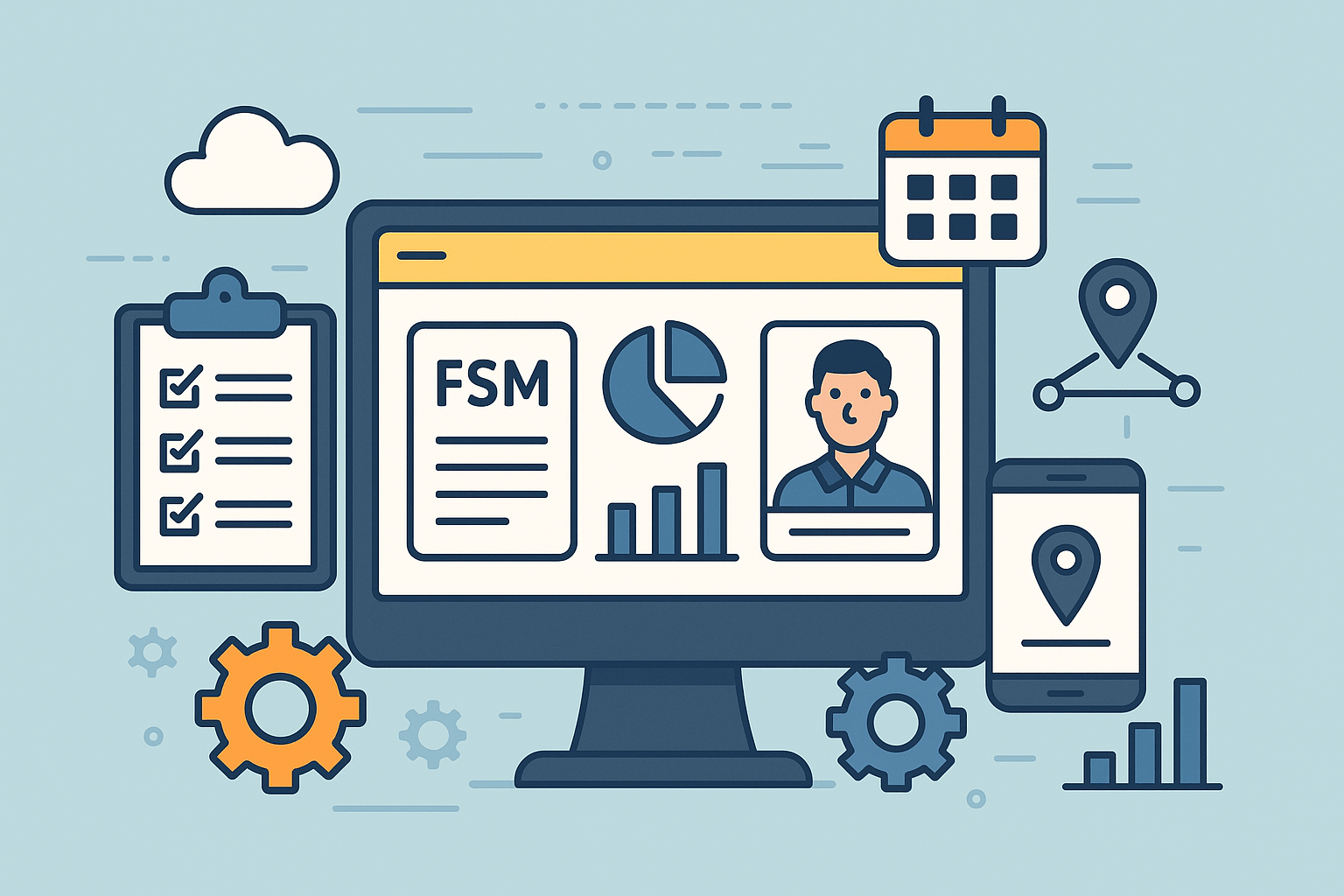

The best field service management software in 2025 is Scoop, a powerful FSM platform designed to streamline scheduling, dispatching, and communication while improving efficiency across your entire field operations. But depending on your business size and industry, other solutions may fit your needs just as well.
In this guide, we’ve highlighted the top 7 field service management software tools, along with their key features, pros, cons, and who they’re best suited for.
1. Scoop
Scoop is a cloud-based platform for managing field service operations, built to bring project information together, streamline on-site workflows, and strengthen communication between office teams and field technicians. While it was initially developed for the renewable-energy industry, it now serves a wider range of sectors including telecom, HVAC, EV charging, and construction. It also functions as a comprehensive software for field service teams.
The system includes tools for scheduling, dispatching, mobile field use, inventory oversight, workflow automation, and real-time project visibility. Scoop also focuses on scalability, offering unlimited users and storage to support organizations as they expand.
Advantages
- Intuitive interface: Scoop is often praised for being simple for both office and field teams to navigate, helping technicians and managers stay on track.
- Flexible workflows: Teams can customize tasks, checklists, alerts, and processes to align with their unique operational needs.
- Unified platform: By centralizing documents, updates, and project information, Scoop helps eliminate data fragmentation across departments.
- Industry alignment: With roots in the renewable and infrastructure sectors, it’s particularly well suited to complex industries such as solar and telecom.
- Scalable model: Unlimited user capacity and a cloud-based foundation make it a strong option for growing mid-sized and large organizations.
Cons
- Lengthy implementation: The high degree of customization can make initial setup time-intensive and demanding in terms of internal resources.
2. Oracle Field Service
Oracle Field Service is a high-level field service management solution built to enhance scheduling, routing and dispatching for mobile teams. Leveraging AI-driven algorithms, it matches each job with the most qualified technician based on skill set, availability and real-time location, helping minimise travel time and boost service performance.
Cons
- Optimised scheduling and routing: AI-based planning improves workforce productivity, cuts unnecessary travel and contributes to higher first-time-fix rates.
- Comprehensive mobile tools: Technicians can access job details, asset records, inventory, mapping and offline resources directly through the mobile app.
- Deep Oracle ecosystem integration: Built-in connections with Oracle ERP, CRM and service platforms enable seamless workflows from office to field.
- Enterprise-ready scalability: Designed to support mid-sized and large organisations with complex dispatching and field-service requirements.
Cons
- Challenging implementation and learning curve: The platform’s extensive features can be difficult for smaller teams or those without technical support to manage.
- Higher overall cost: Licensing, setup and training expenses may be substantial, making it less suitable for smaller solar or field-service businesses.
- Reduced flexibility outside Oracle: Integrating with third-party systems can demand extra configuration or middleware when not using Oracle’s ecosystem.
3. ServiceMax Core
ServiceMax Core is an enterprise-level, asset-focused field service management solution built for organizations that handle extensive equipment portfolios and complex service operations. For solar providers, it excels in managing maintenance tasks, tracking serviceable PV assets, coordinating field teams, and supporting growth across multiple regions.
Advantages
- Comprehensive asset insights: Delivers detailed information on every solar asset, covering service records, component replacements, and planned maintenance activities.
- Proactive maintenance models: Supports preventive and condition-based maintenance for solar arrays, inverters, and storage systems, helping limit downtime and improve long-term reliability.
- Flexible scheduling and dispatching: Provides a dynamic console that allows managers to assign crews efficiently based on technician skills, service territories, and job requirements.
- Strong mobile and offline capabilities: Enables technicians to complete work orders, capture photos, and update data directly from the field, even when working in low-connectivity environments.
- Smooth system integration: Works effectively with enterprise tools such as Salesforce, making it a solid fit for solar businesses connected to broader CRM or ERP infrastructures.
- Insightful analytics and reporting: Offers visibility into technician performance, asset reliability, profitability metrics, and first-time-fix performance.
Cons
- Complex deployment: Its extensive capabilities may require significant time and training to implement, especially for smaller solar organizations.
- Higher total cost: Licensing, onboarding, and extra modules can lead to substantial expenses for small and mid-sized solar companies.
- User-reported performance slowdowns: Some customers mention longer load times or mobile syncing difficulties, which can hinder teams operating in remote solar fields.
- Potentially excessive functionality: Companies with straightforward service processes may find the platform more robust than necessary.
- Reliance on add-ons: Certain advanced tools require additional modules, which can increase overall investment.
4. ServiceNow Field Service Management
ServiceNow Field Service Management (FSM) is an enterprise-grade solution designed to support service organizations in managing work orders, dispatching technicians, tracking assets and inventory, and coordinating complete field workflows. Structured ServiceNow Development Solutions help to configure and manage these capabilities effectively.
Advantages
- End-to-end field workflow support: Covers the entire lifecycle of solar field activities, including installations, inspections, corrective work, and warranty services.
- Optimized scheduling and dispatching: Assigns the right technicians based on skills, region, availability, and job requirements, reducing travel time and improving productivity.
- Enhanced mobile experience: Technicians can review work orders, update progress, capture photos, and manage parts directly through their mobile devices.
- Strong asset and inventory management: Tracks solar equipment, spare parts, and service history to help teams manage stock levels and warranty data more accurately.
- Scalable enterprise platform: Ideal for mid-sized and large Canadian solar companies with extensive service teams and complex operational needs.
- Robust integration options: Connects seamlessly with other ServiceNow modules as well as existing CRM and ERP systems to unify back-office and field operations.
- Real-time dashboards and analytics: Provides KPIs and insights that help managers monitor performance and optimize ongoing service activities.
Cons
- Significant learning curve: Configuration, setup, and training may require considerable effort, particularly for smaller solar teams.
- Higher overall costs: Licensing and deployment expenses may be challenging for small or medium-sized installers without enterprise-level requirements.
- Customization can be complex: Adapting the platform to specific solar workflows may require technical expertise and continuous administrative support.
- Possibly too robust for simple operations: Businesses with more straightforward service needs may find the platform heavier than necessary.
5. Microsoft Dynamics 365 Field Service
Microsoft Dynamics 365 Field Service is a cloud-based platform built to help organizations manage and optimize their field operations. For Canadian solar companies, it supports the entire service lifecycle, from installation and routine maintenance to long-term asset oversight.
Advantages
- Optimized scheduling and dispatching: Provides smart routing, skills-based technician assignment, and availability optimization to reduce travel time and improve operational performance.
- Deep Microsoft ecosystem integration: Works smoothly with Microsoft 365, Teams, and other Dynamics 365 apps to support unified and automated workflows.
- Mobile workforce empowerment: Technicians gain mobile access to work orders, customer records, and asset information, boosting productivity on the job site.
- Comprehensive asset lifecycle management: Monitors solar equipment, service contracts, warranties, and maintenance plans throughout their lifecycle.
- Scalable enterprise-ready solution: A strong fit for mid-sized and enterprise-level solar organizations operating across multiple regions.
Cons
- Complex setup and customization: Implementation can be lengthy and often requires support from technical consultants or partners.
- Higher cost barriers for smaller companies: Licensing and deployment expenses may be challenging for small solar installers or emerging businesses.
- Greater change-management demands: Teams shifting from spreadsheets or simpler tools may need significant training and process adaptation.
- Solar-specific customization needs: Tasks such as site inspections, array mapping, or inverter performance analysis may require additional tailoring to fit industry workflows.
6. Praxedo
Praxedo Field Service Management is a cloud-based platform designed to streamline scheduling, dispatching, and day-to-day field operations. It pairs a web interface for office staff with a mobile application for technicians, enabling real-time updates, optimized routing, customizable workflows, and efficient data capture directly in the field.
Advantages
- Efficient scheduling and route optimization: Uses smart algorithms to match technicians based on skills, availability, and travel time, improving operational efficiency and reducing costs.
- Robust mobile app with offline capability: Supports technicians working in remote or low-connectivity areas, common in solar installation and maintenance work.
- Highly customizable workflows and forms: Accommodates complex solar processes such as site assessments, installation checklists, commissioning steps, and maintenance inspections.
- Real-time dispatcher visibility: Offers live technician tracking, job progress updates, and status changes, helping dispatchers respond more quickly and manage operations effectively.
- Flexible integration options: Works with CRM, ERP, and accounting systems like Salesforce, Microsoft Dynamics, Sage, and QuickBooks to minimize data silos.
- Strong reputation and industry adoption: Highly rated on major review platforms and widely used across energy and utility sectors, reinforcing its suitability for solar service teams.
Cons
- Performance slowdowns with large media uploads: Occasional syncing delays when transferring photos or large files, common during solar site documentation.
- Potentially costly or complex for small teams: Pricing and configuration requirements may be heavy for small solar installers seeking simpler solutions.
- Limited mobile scheduling for managers: The mobile app is primarily designed for technicians, offering fewer scheduling tools for managers on the go.
- Higher configuration effort: Extensive customization options can require more setup time and resources during the initial deployment.
7. IFS Field Service Management Software
IFS Field Service Management (IFS FSM) is an enterprise-level solution designed to manage the complete lifecycle of field service operations, from generating work orders and scheduling technicians to supporting mobile tasks, managing parts, and handling contracts and warranties.
Advantages
- End-to-end service lifecycle support: Covers dispatching, mobile workflows, parts management, warranty handling, and service contracts in one system, ideal for solar organizations with recurring maintenance and service commitments.
- Strong scheduling and asset management: Known for its workforce planning, routing features, and detailed equipment tracking, helping solar teams coordinate technicians and maintain complete histories for installed systems.
- Industry-focused functionality: Designed with utility and energy-sector needs in mind, offering deeper relevance for solar operations compared to more generic CRM or FSM platforms.
- Flexible deployment choices: Available in cloud or on-premises formats, allowing Canadian companies to meet data residency, compliance, or internal IT requirements.
- Modular, customizable structure: Enables businesses to implement only the components they need, useful for solar companies integrating FSM capabilities into existing CRM or ERP environments.
Cons
- Significant learning curve: The breadth of features can feel overwhelming for smaller solar installers and may require extensive training and operational adjustments.
- Complex setup and customization: Adapting advanced workflows, such as solar monitoring integrations or unique service sequencing, can demand substantial time and resources.
- Higher overall cost: Licensing, consulting, and implementation fees tend to be higher than lightweight FSM tools, making it less practical for small or emerging solar companies.
8. SAP Field Service Management
SAP Field Service Management (SAP FSM) is a cloud-based, enterprise-grade platform designed to help organizations plan, coordinate, and optimize all aspects of their field operations.
For solar companies, it supports the full spectrum of service activities, from scheduling installation and maintenance teams to managing parts, documenting site visits, and giving technicians real-time access to customer and equipment information through its mobile app.
Advantages
- Intelligent scheduling and dispatching: Matches technicians to jobs based on skills, availability, and proximity, helping reduce travel time and improve first-time-fix performance.
- Mobile accessibility in the field: Technicians can access job details, customer records, documentation, and parts information on site, with offline mode available.
- Strong integration capabilities: Works seamlessly with SAP’s ERP, CRM, and asset-management tools, creating end-to-end alignment across operations, service, and billing.
- Enterprise-ready scalability: Supports large field teams, multi-province operations, and complex solar asset portfolios.
- Real-time insights and analytics: Provides dashboards and KPIs that support performance monitoring, route optimization, and service-efficiency improvements.
- Sustainability benefits: Optimizes routing and scheduling to reduce unnecessary travel and support eco-efficient service operations.
Cons
- Complex implementation: Deployment can be demanding, particularly for organizations without existing SAP experience.
- Challenging customization: Advanced configurations typically require SAP specialists, increasing implementation time and costs.
- Higher overall cost: Pricing is not publicly disclosed and may be out of reach for smaller or mid-sized solar companies.
- Potential over-engineering: For small operations with limited technicians or a tight geographic focus, the platform may provide more functionality than necessary.
9. IFS Cloud
IFS Cloud is a cloud-native, fully integrated platform that brings together CRM, field service management, asset management, and project operations into a single system. Designed for asset-intensive industries, including energy and renewables, it provides solar companies with end-to-end visibility from initial customer engagement through long-term service and maintenance.
Advantages
- Integrated CRM and asset lifecycle management: Combines customer management with asset oversight, allowing solar companies to connect sales, installation, performance monitoring, and long-term service within a unified environment.
- Purpose-built for renewables: Developed with energy and resource sectors in mind, making it a strong fit for solar developers, EPCs, and O&M teams managing large, distributed asset portfolios.
- Highly scalable and adaptable: Supports multi-site operations, multiple currencies, and global deployments, ideal for Canadian solar companies expanding across provinces or entering international markets.
- Customizable, modular workflows: Offers low-code/no-code configuration and modular components, enabling teams to tailor processes such as commissioning, warranty handling, and service execution.
- Centralized visibility: Breaks down operational silos by connecting sales, service, finance, and asset data, strengthening decision-making and improving customer transparency.
Cons
- Steep learning curve: The breadth of functionality may be challenging for smaller solar companies or teams without dedicated technical staff.
- Complex implementation needs: Customization, integrations, and full-scale deployments can require significant time, resources, and reliance on consultants.
- Inconsistent support experience: Reviews suggest that support quality and partner expertise may vary depending on region.
- Higher cost considerations: As an enterprise-level platform with extensive modules beyond CRM, IFS Cloud may exceed the requirements and budgets of smaller or residential-focused solar installers.
10. Geocall
Geocall is a field service management (FSM) and mobile workforce platform developed by OverIT. While not designed specifically for the solar industry, its strong mapping, dispatch, and technician-management capabilities make it a viable option for Canadian solar companies with significant field operations.
Advantages
- Strong field service capabilities: Provides robust tools for dispatching, scheduling, and managing technicians in the field, supporting solar companies with complex operational workflows.
- Advanced GIS and mapping features: Offers geographic territory management and asset location mapping, useful for solar installers working across diverse Canadian regions.
- Flexible integrations and scalability: Built with an API-first architecture, allowing solar businesses to connect Geocall to existing systems and tailor processes to local requirements.
- Customizable analytics and reporting: Includes adaptable dashboards and reporting tools to track performance, service quality, and operational efficiency.
Cons
- Occasional stability issues: Reviews mention periodic system crashes or performance concerns that may disrupt workflow.
- Not solar-specific out of the box: Lacks built-in features common in solar-focused CRMs, such as proposal tools, financing integrations, and incentive tracking, which may require additional customization.
Frequently Asked Questions About Best Field Service Management Software
How Does FSM Software Improve Team Efficiency
FSM software transforms how your team works through intelligent scheduling that assigns the right person to each job based on skills and location. Your dispatchers can quickly adjust to changes while technicians follow optimized routes that cut travel time significantly.
AI takes care of repetitive work like sending appointment reminders or generating reports, which lets your staff focus on solving complex client issues. The system connects with your existing business platforms to create a single source of truth for customer histories, parts inventory, and job status updates.
How Do I Integrate FSM With Existing Systems
Connecting your FSM solution with current business applications starts with identifying all systems that need to share information, such as accounting software, customer databases, and inventory management tools. Most modern FSM platforms offer pre-built connectors for popular business systems, making initial setup straightforward.
Your implementation team should map out exactly which data points flow between systems, customer contact information, service history, parts availability, and billing details must move seamlessly across your digital ecosystem. API access lets developers create custom connections when standard integrations aren’t available.
What If My Technicians Have Limited Internet Access?
Many FSM tools include offline capabilities that allow technicians to view job details, capture data, complete checklists, and store photos without an internet connection. Once the device reconnects, the system automatically syncs the data. This ensures uninterrupted productivity for teams working in remote areas or low-connectivity environments, common in industries like solar, utilities, and construction.
How Secure Is My Data With FSM Solutions?
Most reputable FSM providers use advanced security protocols, including data encryption, role-based permissions, multi-factor authentication, and secure cloud hosting environments. Enterprise solutions may also comply with industry standards like SOC 2, ISO 27001, or GDPR.
Always evaluate a vendor’s security certifications and data-governance practices to ensure they align with your organization’s compliance requirements.

