The AI video generator market is moving fast, but the buying decision is still practical: can a tool reliably create usable shots for your team? This guide compares AI video generators for creators who need more than a fun demo. We focus on creative control, prompt adherence, motion quality, cost, turnaround time, and the amount of editing required after export.
For social teams, freelancers, and in-house content creators, the goal is not to replace the creative process with a one-line prompt. The goal is to reduce the time between a clear idea and a usable first cut while keeping brand decisions in human hands.
Quick answer: how should you choose an AI video generator?
Choose based on the type of video you need to ship repeatedly. A tool that makes beautiful one-off clips may be the wrong choice for product demos, ad iterations, tutorials, or a weekly social calendar. Test the full path from prompt to export, including revisions.
Start with one real use case. For example, test a product demo, a short social ad, a character-driven scene, or a branded background loop. Then compare each tool against the same creative brief. This gives you a cleaner read than trying random prompts and picking the clip that looks the most impressive.
How we compared AI video models
A useful comparison scores more than visual wow factor. Test creative control, prompt adherence, motion quality, cost, and turnaround time. Use one short creative brief, lock your aspect ratio and duration, then generate at least three attempts per model.
Review the results with a simple production lens:
• Did the model follow the subject, setting, and action in the prompt?
• Did motion look intentional, or did it drift between frames?
• Could you revise the output without starting from scratch?
• Did the clip need heavy editing before it was publishable?
• Did the export format fit your channel or workflow?
That last question matters. A creator making daily short-form content needs speed and repeatability. A brand team making product explainers needs control, accuracy, and review steps. A freelance editor may care most about flexible exports and predictable client revisions.
Best AI video models to test
1. Runway
Runway is a useful benchmark for teams that want generation and editing in the same broader workflow. Test it with a real brief, not a single cinematic prompt, and evaluate whether its controls reduce the number of manual fixes after export.
It is especially worth testing when your team already has a defined editing workflow. The key question is not whether Runway can make a good clip. It is whether it helps you move from idea to approved asset with fewer handoffs.
2. Kling
Kling belongs on a shortlist when motion realism and image-driven experiments matter. Compare it on the exact motion, composition, and subject-consistency problems your team creates most often.
Use a prompt that includes a clear subject, one camera move, and one visible action. If the scene changes too much between attempts, that inconsistency will become expensive once you need a full campaign or content series.
3. Veo
Veo is worth considering for high-fidelity concepting and prompt-led scene development. Its value rises when your process has clear art direction. Vague prompts make every model look inconsistent.
For a fair test, write a short creative brief before you generate. Include the audience, message, setting, visual style, duration, and what should not appear in the clip. Then judge whether the model followed the brief, not whether the output looked impressive in isolation.
4. Sora
Sora remains a reference point in many AI video discussions, but a production decision should be based on access, controls, turnaround, and the work you need to deliver, not on brand recognition alone.
Treat it like any other tool in the test. Give it the same prompt, the same target format, and the same review criteria. If another model gives your team a faster revision loop, that model may be the better practical choice.
5. PixVerse
For a broader comparison of text-to-video options, see the PixVerse best ai text to video generator list. Use it as a research input, then test the models against the same script, aspect ratio, and brand constraints before choosing a production tool.
PixVerse is useful to include when your creator workflow depends on fast experimentation. Test whether it can turn a simple brief into multiple usable directions without creating extra cleanup work for your editor.
6. Minimax H3 via Buzzy
Teams comparing newer options can also explore Buzzy minimax H3. Evaluate it with a scene that includes the hardest elements in your brief, such as people, product detail, camera movement, or readable interfaces.
Do not test only abstract scenes. Abstract visuals are often easier for AI video systems to make look polished. A real creator workflow usually includes people, products, logos, text, or brand-specific details. Those are the areas where model differences become obvious.
7. Wan 3.0 via Youart
For another model route, test Youart Wan 3.0 with the same seed assets and prompt structure. Consistency across attempts is more useful than one exceptional clip, especially for content calendars and paid creative.
Look closely at repeatability. If the first clip is strong but the next three attempts drift away from the brief, the workflow may not be reliable enough for production work. A slightly less dramatic result can be better if it is easier to revise and approve.
8. Open and specialist video workflows
Specialist and open workflows can make sense when your team needs custom pipelines, controlled assets, or a specific visual style. They often demand more technical work, so include setup time in the cost comparison.
These workflows are not always the fastest option for a solo creator. They become more useful when you need repeatable brand assets, custom automation, or tighter control over the production pipeline.
A workflow that produces better AI video outputs
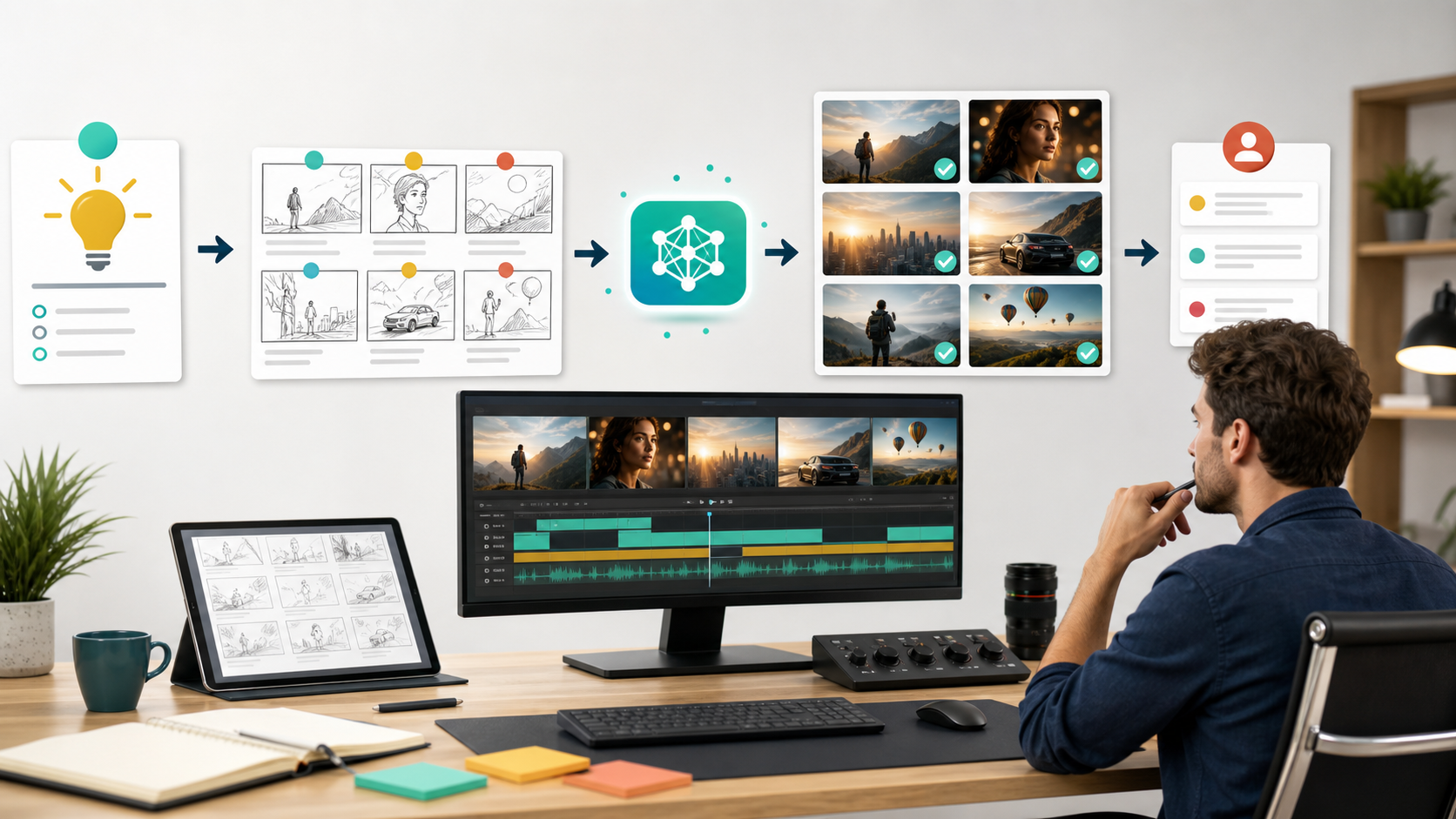
Write a production brief before you generate: audience, single message, shot intent, subject, action, setting, visual style, aspect ratio, duration, and no-go elements. Then make one variable change per attempt. Random prompt rewrites create noise and make it impossible to learn which model or instruction caused the improvement.
Use this basic testing process:
• Pick one real content format your team already creates.
• Write one short brief and reuse it across every tool.
• Generate at least three attempts per model.
• Track what changed between attempts.
• Review the best output for accuracy, editability, and approval risk.
This makes the test more useful for real production. A single great clip can be luck. A repeatable process is what helps a creator ship more often.
Where AI video tools still need human judgment
AI video can accelerate ideation and pre-production, but it does not remove the need for rights checks, product accuracy, accessibility, or brand review. Inspect text rendering, hands, logos, pricing claims, safety-sensitive scenes, and any portrayal of real people before publishing.
Human review also protects the audience experience. Captions still need to be readable. Audio still needs to match the pacing. Product claims still need to be true. The best AI video workflow gives creators more options, but it should not remove the final editorial gate.
Takeaway: choose the model that gives your team the lowest revision cost, not the model that produces the flashiest first result.
Frequently asked questions
What is the best AI video generator for beginners?
The best beginner choice is the one with a clear generation flow and enough controls to iterate without rebuilding every shot. Start with a short, specific brief and a single use case. A beginner does not need every advanced control on day one. They need a tool that helps them learn what a good prompt, useful revision, and clean export look like.
Can AI video tools replace a video editor?
No. They can speed up asset creation and rough concepts, but editing, pacing, brand consistency, sound, captions, and approval still require deliberate production work. For most creators, AI video works best as a production accelerator, not a full replacement for editing judgment.
How many tools should a creator test before choosing one?
Test three to five tools before making a decision. That is enough to compare quality, speed, and revision effort without turning the process into a research project. Keep the test brief consistent, then choose the tool that fits your actual publishing workflow.
Final verdict
The best AI video generator in 2026 is the one that reliably turns your briefs into editable, on-brand footage. Run a controlled test with real work, pick the workflow with the lowest revision cost, and keep a human reviewer at the final gate.
For creators, the winning tool is rarely the one with the most impressive demo. It is the one that helps you produce usable videos again and again without creating more cleanup work than it saves.